


If you have been running a WooCommerce store using the default WordPress comment/review system, you likely have existing reviews that you don’t want to lose when upgrading to ReviewX. The great news is that ReviewX is fully backward-compatible with native WooCommerce reviews — no manual export or CSV formatting is required.
Thank you for reading this post, don't forget to subscribe!This guide explains how ReviewX automatically absorbs and elevates your existing WooCommerce reviews into modern multi-criteria rating widgets.
How the Automatic Migration Works
WooCommerce stores default product reviews as custom comment types (comment_type = 'review') in your WordPress wp_comments database table. When you install and activate ReviewX:
- Instant Data Detection: During the initial onboarding sync, ReviewX scans your database for all existing WooCommerce reviews.
- Preserving Historical Integrity: ReviewX imports every star rating, review text, customer name, email address, timestamp, and approved status into the ReviewX engine.
- Automatic Schema Upgrade: Your legacy reviews are instantly upgraded to support modern Google Rich Snippets (Schema.org JSON-LD), helpful voting (thumbs up/down), and verified purchaser badges.
Step 1: Complete the Initial ReviewX Synchronization
- When connecting ReviewX with your license key, ReviewX prompts you to run the initial data sync.
- Navigate to ReviewX → Tools → Synchronization.
- Click Sync now to synchronize all historical orders, products, and existing reviews.
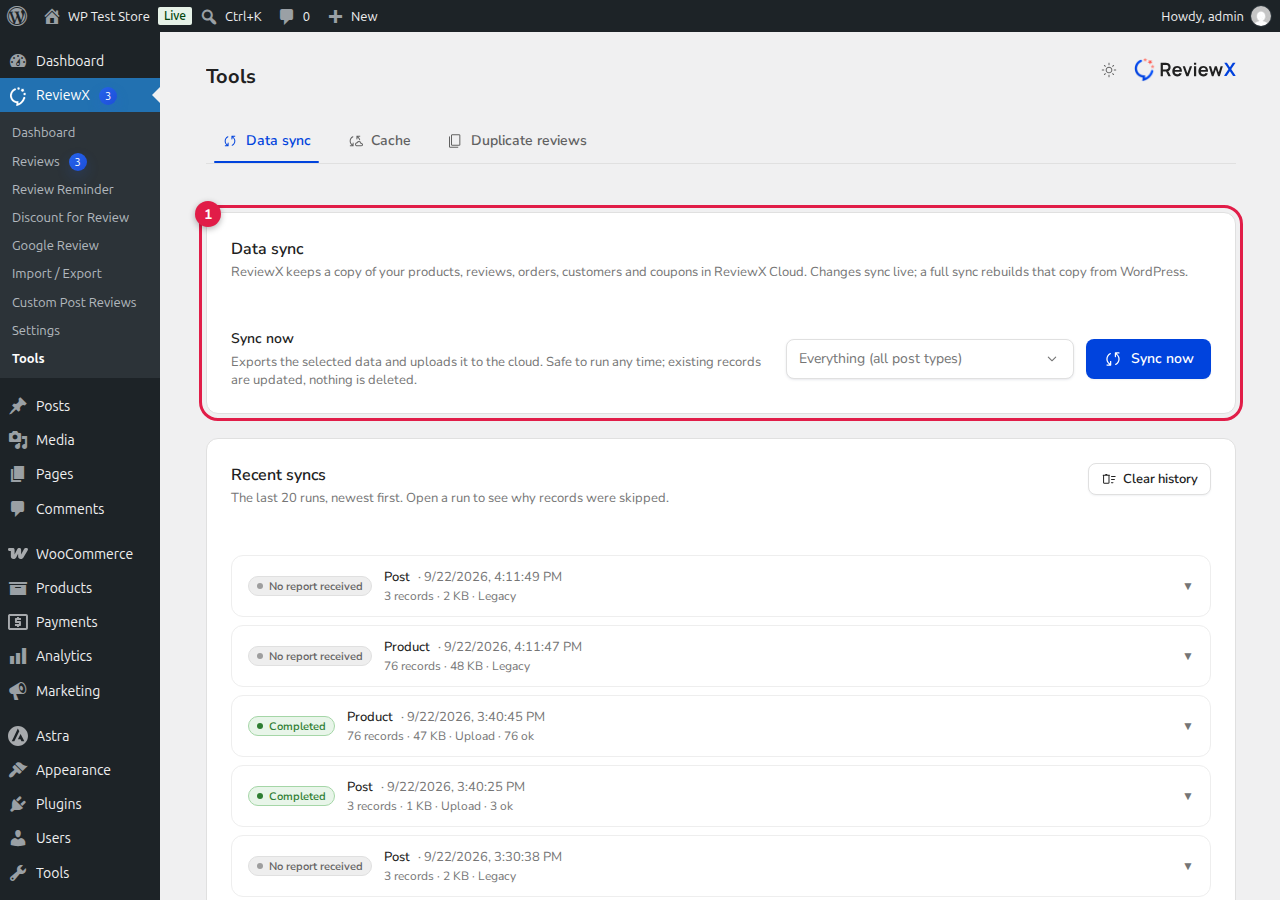
Figure 1: ReviewX synchronization tool linking your historical WooCommerce reviews with ReviewX Cloud.
Step 2: Verify Existing Reviews in ReviewX Admin
- Navigate to ReviewX → All Reviews.
- Your pre-existing WooCommerce reviews will appear in the table with their original star ratings and dates intact.
- You can now manage them using ReviewX’s modern moderation tools — edit text, highlight top reviews, add official store owner replies, or filter by rating.
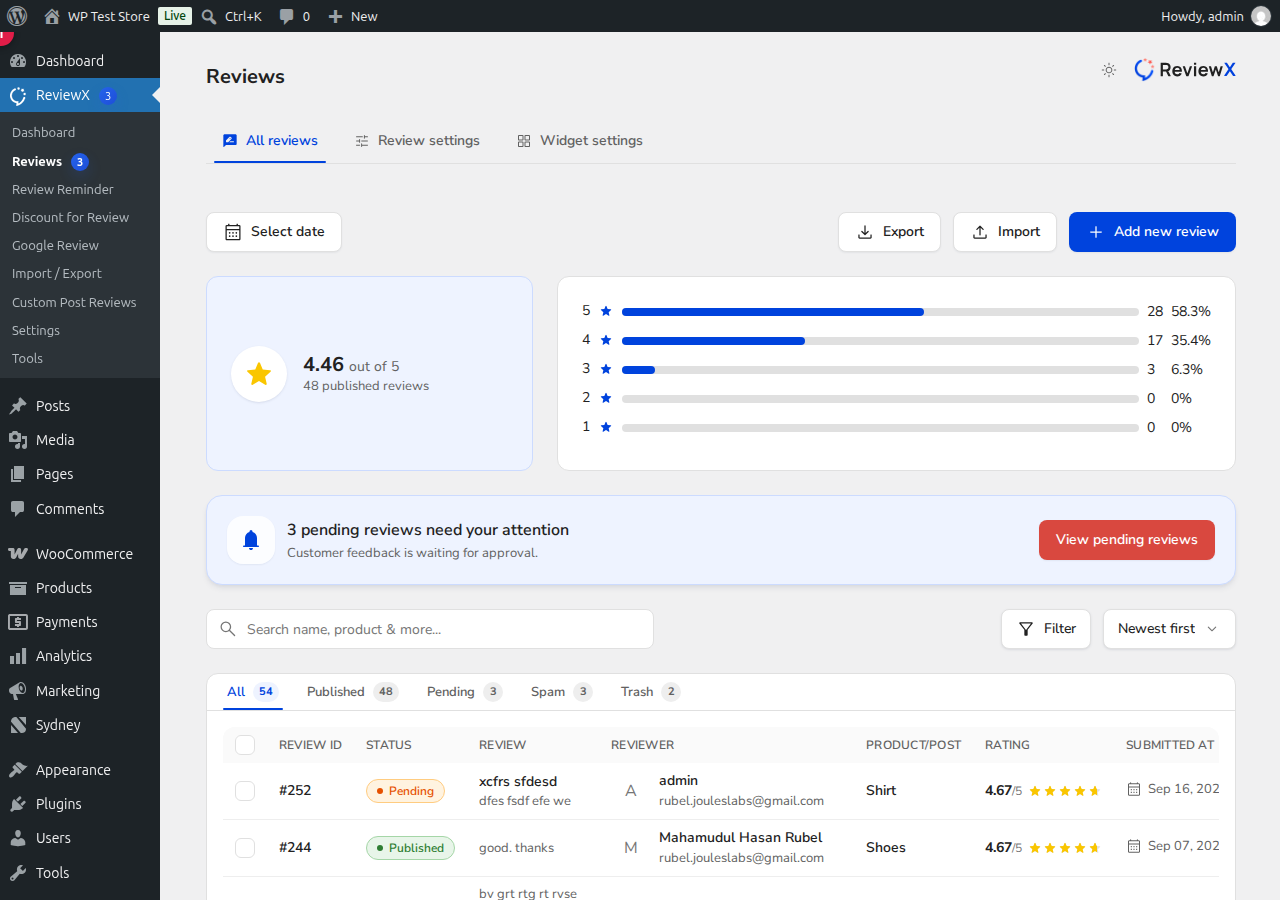
Figure 2: ReviewX All Reviews moderation dashboard managing native and upgraded reviews.
Step 3: What Happens to Multi-Criteria on Legacy Reviews?
Since native WooCommerce reviews only capture a single 1-to-5 star rating, ReviewX maps the overall rating to your primary score. Any newly submitted reviews moving forward will collect granular multi-criteria evaluations (e.g. Quality, Delivery, Value) according to your configured settings.
Frequently Asked Questions
Will activating ReviewX delete my WordPress comments?
No. ReviewX never deletes your original WordPress comments table data. It safely mirrors and enhances the data for display and rich snippets.
What if I deactivate ReviewX later?
If you ever deactivate ReviewX, your original reviews remain safely stored in the standard WordPress comments table, ensuring zero vendor lock-in.


