


While ReviewX automatically integrates into standard WooCommerce Single Product tabs out of the box, modern e-commerce stores frequently require custom layouts. Whether you are designing dedicated product landing pages, building bespoke Single Product templates in Elementor or Divi, or embedding testimonials into promotional blog posts, you need an all-in-one shortcode that delivers the full ReviewX ecosystem anywhere.
Thank you for reading this post, don't forget to subscribe!The [rvx-woo-reviews] shortcode is ReviewX’s master shortcode, capable of rendering the entire review experience—including the rating breakdown graph, search and filter toolbar, customer review cards, and interactive submission form—with granular parameter controls.
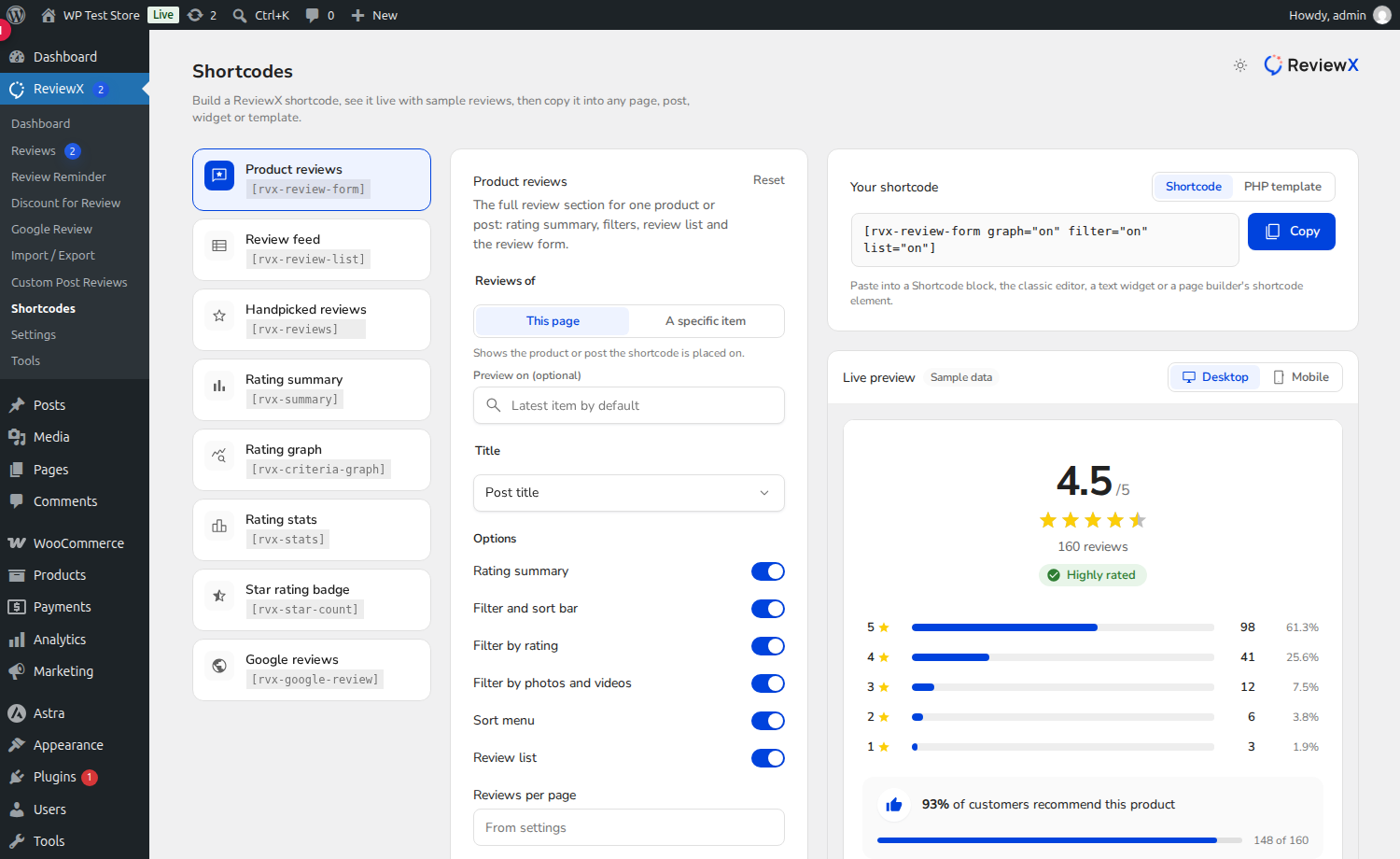
The Complete Modular Shortcode
Unlike static shortcodes that only display star counts, [rvx-woo-reviews] is fully dynamic. It allows you to toggle individual sections on or off (graph, filter, list, form) to create tailor-made customer review sections on any page.
Shortcode Syntax and Parameter Reference
ReviewX processes the [rvx-woo-reviews] shortcode via WooReviewsFormShortcode.php, supporting the following attributes:
| Attribute | Accepted Values | Default | Description |
|---|---|---|---|
| product_id | Numeric Post ID | Current Post | The ID of the WooCommerce product whose reviews should be displayed. Required on non-product pages. |
| title | Text string | “true” | Custom heading text displayed above the review section. |
| graph | “on” | “off” | “on” | Toggles the rating breakdown summary and multi-criteria visual graph. |
| filter | “on” | “off” | “on” | Toggles the search bar, star rating filter pills, and media filter buttons. |
| list | “on” | “off” | “on” | Toggles the customer review cards list with verified badges, avatars, and dates. |
| form | “on” | “off” | “on” | Toggles the interactive review submission form for customer feedback. |
Practical Implementation Examples
Example 1: Displaying Reviews on a Dedicated Landing Page
If you are marketing a hero product with a standalone sales funnel or landing page, embed the complete review experience by specifying the product ID:
Example 2: Showcase Testimonials Only (Hide Submission Form)
To display existing reviews and criteria graphs on marketing pages without allowing new submissions from non-purchasers:
Example 3: Submission-Only Form (Quick Review Collection)
To create a streamlined review collection page linked from post-purchase SMS campaigns:
How to Insert the Shortcode in Page Builders
- Gutenberg Block Editor: Add a Shortcode block and paste the shortcode snippet.
- Elementor: Add a Shortcode widget or Text Editor widget and paste the shortcode.
- Divi Builder: Add a Code module and paste the shortcode.
- PHP Theme Templates: Insert programmatically using
<?php echo do_shortcode('[rvx-woo-reviews]'); ?>.
Frequently Asked Questions
Do I need to include product_id on WooCommerce Single Product pages?
No. When used inside a Single Product template or tab, ReviewX automatically detects the current product ID dynamically from the global WordPress loop.
What happens if ReviewX data has not been synchronized?
ReviewX includes a safety check ($this->synced()). If initial data synchronization has not completed, the shortcode will display a notice prompting administrators to complete synchronization in ReviewX → Tools.
Can I use this shortcode for Custom Post Types?
For custom post types (courses, downloads, properties), use the post_id attribute: [rvx-woo-reviews post_id="105"].


