


Offering promotional discounts in exchange for customer feedback drives higher review completion rates. However, without strict safeguards, discount codes can easily be abused: shoppers may share codes on public deal forums, use coupon-finding browser extensions (such as Honey or Capital One Shopping), or submit duplicate reviews to hoard multiple discount codes. ReviewX incorporates rigorous anti-abuse controls to protect your store revenue.
Thank you for reading this post, don't forget to subscribe!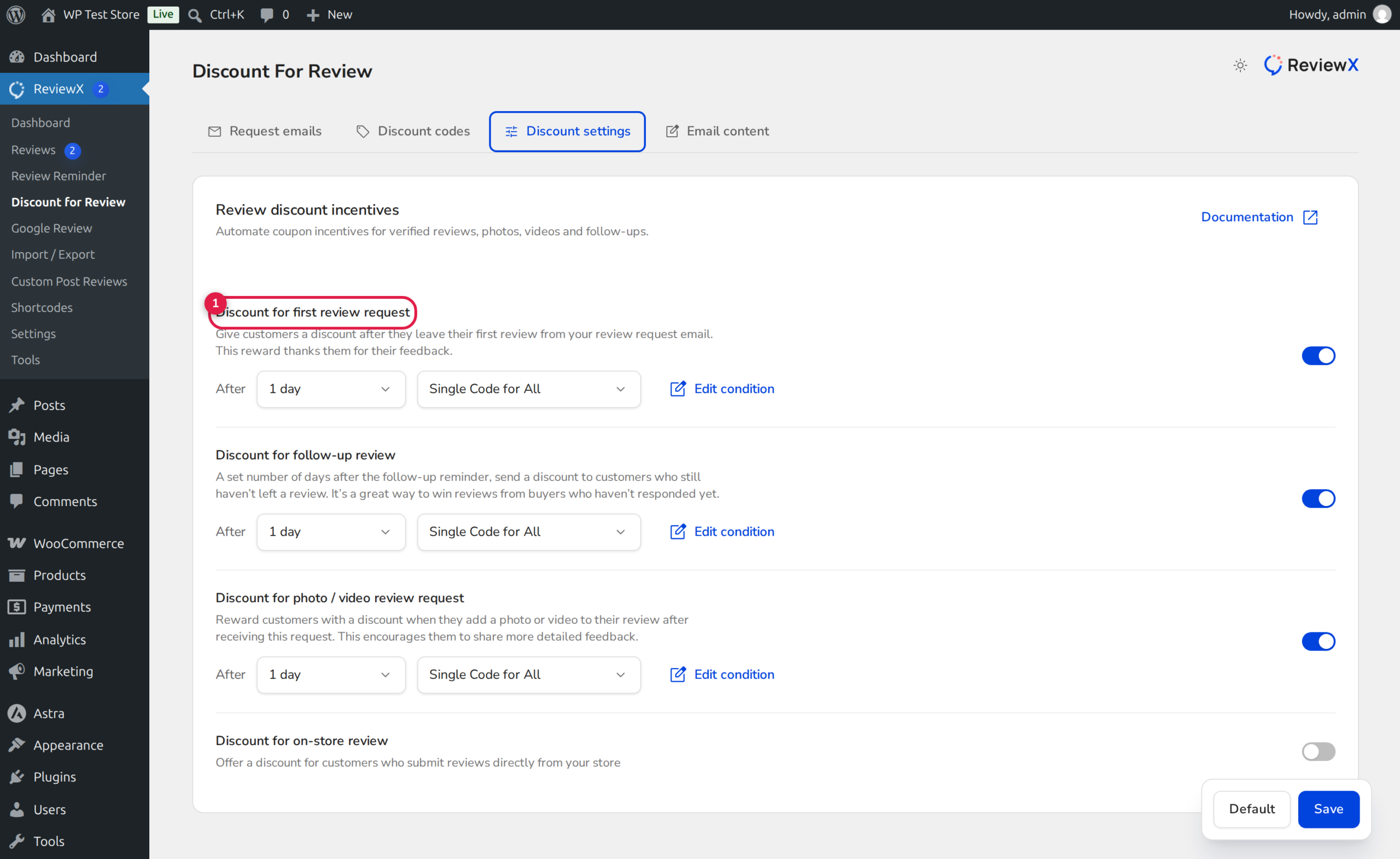
The Four-Pillar Anti-Abuse Security Stack
ReviewX protects promotional margins by combining: Unique Auto-Generated Codes, Customer Email Restriction, Single-Use Enforcement, and Strict Time Expiration.
Core Security Safeguards Built Into ReviewX
1. Unique Dynamic Coupon Generation vs Static Shared Codes
Rather than distributing a static code (such as THANKS10) that can be shared across coupon aggregator websites, ReviewX generates an individualized alphanumeric coupon code for every qualifying review submission. Each code is recorded in the WooCommerce database with dedicated usage tracking.
2. Customer Email Restriction (Email Locking)
ReviewX binds each generated coupon directly to the verified reviewer’s billing email address. In WooCommerce, this populates the customer_email restriction meta. If another shopper attempts to use the coupon code during checkout, WooCommerce rejects the voucher with an error: “This coupon is not valid for your email address.”
3. Single-Use Limits (usage_limit = 1)
Each coupon code is configured with a strict usage limit of 1 redemption. Once the customer completes checkout with the code, WooCommerce automatically marks the coupon as exhausted, preventing repeated use.
4. Expiration Deadlines
Coupons can be configured to expire after a specified duration (e.g., 7 days, 14 days, or 30 days). Expiring codes create positive urgency for the customer to return and make a repeat purchase while preventing old codes from resurfacing months later.
Step-by-Step Guide: Hardening Discount Security
Step 1: Open Discount Configuration
From your WordPress admin dashboard, navigate to ReviewX → Discount → Discount settings. Select your active discount campaign (Badge 1).
Step 2: Configure Usage and Expiration Limits
Under the coupon parameters section (Badge 2):
- Usage Limit Per Coupon: Verify this is set to
1. - Usage Limit Per User: Set to
1to prevent one account from redeeming multiple codes. - Coupon Validity (Days): Set an expiration window (e.g.,
14days) so codes automatically invalidate after two weeks.
Step 3: Restrict to Customer Email
In the security options (Badge 3), ensure Bind to customer billing email is active. This prevents the code from functioning if passed to friends or published on social media.
Step 4: Save and Audit Generated Codes
Click Save. You can inspect all actively generated coupons, recipient emails, and redemption statuses at any time under the Discount codes tab.


