


Duplicate reviews can occur when customers resubmit feedback, during WooCommerce migrations, or following multiple order imports. ReviewX includes a dedicated duplicate cleanup tool that detects clusters of matching reviews and safely cleans them up without deleting genuine customer feedback.
Thank you for reading this post, don't forget to subscribe!Step 1: Open ReviewX Tools
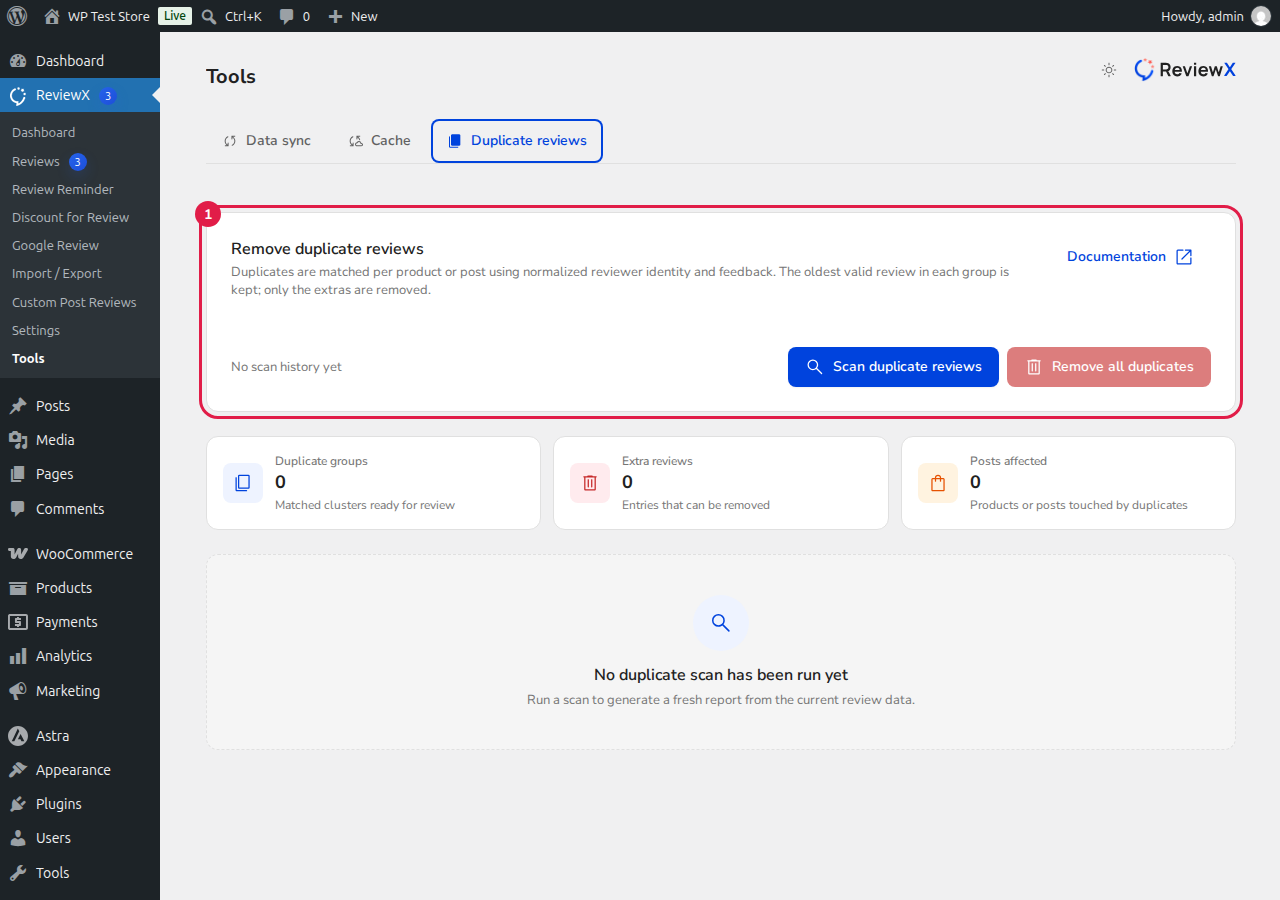
From your WordPress admin menu, navigate to ReviewX → Tools.
Step 2: Select Duplicate Reviews Tab
Click on the Duplicate reviews tab marked with [1]. This opens the duplicate review scanner and statistics summary.
Step 3: Run the Duplicate Scanner
Click the Scan duplicate reviews button. ReviewX will analyze all product and post reviews across your database, grouping identical reviews by normalized reviewer identity and comment content. The oldest valid review in each group is automatically preserved.
Step 4: Review and Remove Duplicates
Review the identified duplicate clusters in the table. You can inspect the post title, author, content preview, and last found date. Click Remove all duplicates to batch clean the extras, or remove individual clusters as needed.


