


Customer feedback occasionally contains accidental typos, broken image links, or rating mistakes that customers ask you to rectify. ReviewX makes updating reviews straightforward without needing to edit raw database records or WooCommerce comment tables.
Thank you for reading this post, don't forget to subscribe!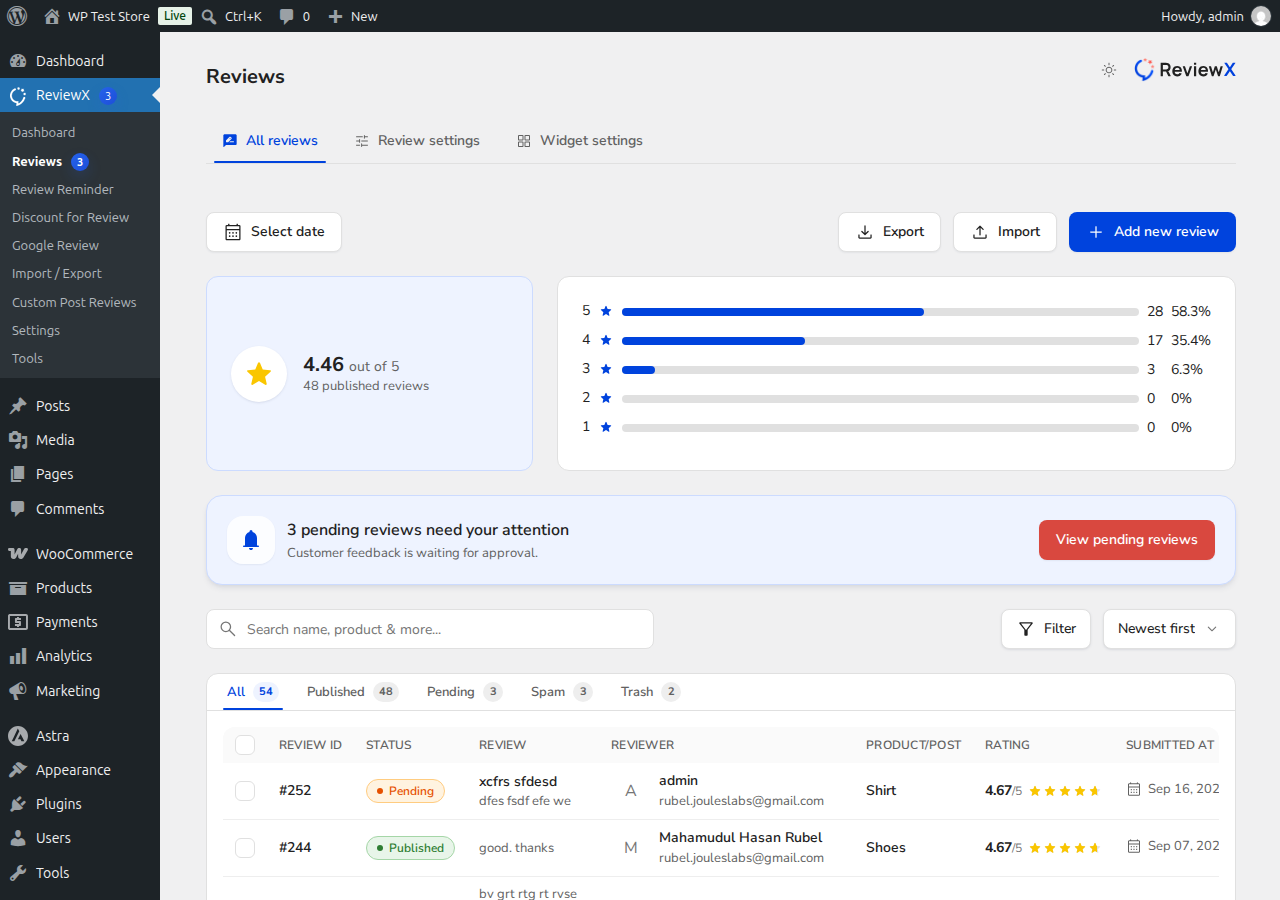
Step-by-Step: Editing a Review
- Navigate to ReviewX → Reviews → All reviews.
- Find the review you wish to update using the search box or status tabs.
- Click directly on the review row or the edit icon to open the ReviewX Side Drawer.
- In the side drawer, you can modify:
- Star Ratings & Multi-Criteria Scores: Update overall rating or specific criteria (e.g., Quality, Delivery, Price) if requested by the customer.
- Review Title & Feedback Text: Correct spelling mistakes or remove accidental sensitive details.
- Verified Owner Status: Toggle whether the customer receives the verified purchaser badge.
- Recommendation: Adjust whether the reviewer recommends the product.
- Click Update Review to save the changes.
The updated review immediately reflects across your storefront product pages with zero cache delays.


