


Collecting customer reviews should never be an afterthought. Without a systematic, well-timed post-purchase strategy, less than 2% of satisfied shoppers will voluntarily return to your site to leave feedback. However, implementing an automated multi-stage email cadence can increase your review submission rate to 15%–25%.
Thank you for reading this post, don't forget to subscribe!In this guide, you will discover battle-tested best practices for structuring ReviewX automated sequences, optimizing email dispatch timing, and leveraging discount incentives to drive maximum customer participation.
The 4-Stage Automated Review Cadence
ReviewX is architected around a multi-stage review engine. Rather than relying on a single reminder email, store owners can activate an intelligent sequential progression:
- Stage 1: First Review Request: The primary invitation sent shortly after order fulfillment.
- Stage 2: Follow-Up Review Request: A gentle reminder sent exclusively to customers who did not respond to the first email.
- Stage 3: Request for Photo / Video Review: A specialized secondary invite asking verified text reviewers to upload photos or videos.
- Stage 4: Thank You Email: An immediate appreciation message delivering customer gratitude and future purchase incentives.
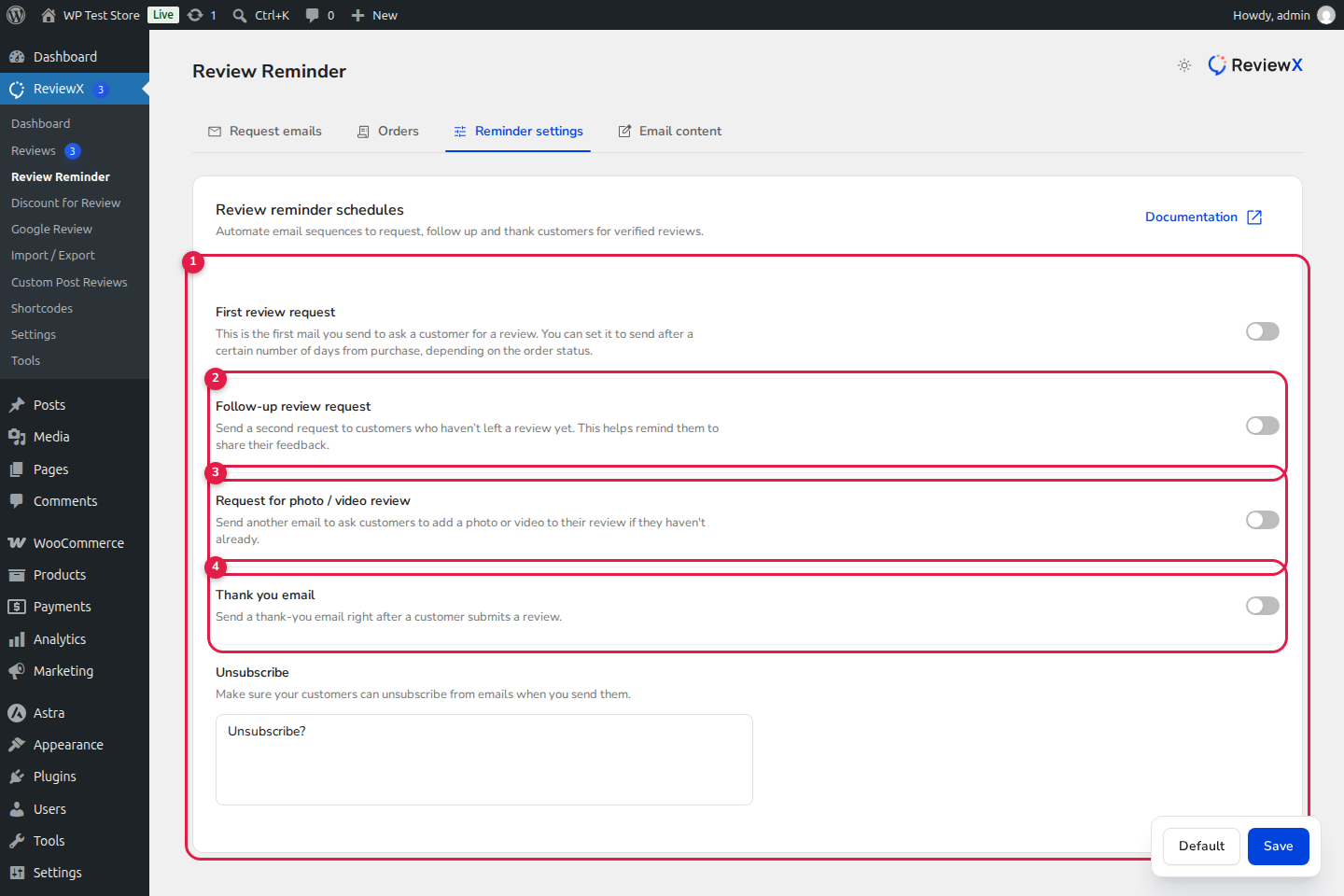
Figure 1: ReviewX automated reminder schedule settings: (1) First request delay, (2) Follow-up timing, (3) Photo request schedule, and (4) Thank you email trigger.
Optimal Timing Rules: When Should Emails Send?
Timing is the single greatest determinant of review conversion. If an email arrives before the package reaches the customer’s doorstep, it generates irritation. If it arrives 30 days later, the excitement of unboxing has faded.
| Product Category | Optimal First Request Timing | Follow-Up Timing | Rationale |
|---|---|---|---|
| Apparel, Fashion & Shoes | 5–7 days after “Completed” | 5 days after first request | Shoppers try on clothes within 48 hours of delivery. |
| Cosmetics & Skincare | 14–21 days after “Completed” | 7 days after first request | Customers need 2 weeks to notice visible results on skin. |
| Electronics & Appliances | 7–10 days after “Completed” | 5 days after first request | Allows time for unboxing, installation, and testing. |
| Digital Downloads & Software | 2–3 days after “Completed” | 4 days after first request | Fulfillment is instant; initial usage happens immediately. |
Supercharging Submissions with Review Discounts
While some customers leave reviews out of pure brand loyalty, the vast majority need a gentle incentive. ReviewX natively integrates review requests with WooCommerce Dynamic Coupon Generation via ReviewX → Review Discount.
By pairing review requests with a coupon reward (for example, “Leave a review and receive 15% off your next purchase”), you achieve two vital goals at once:
- Dramatically Higher Response Rates: Discount incentives can double or triple submission velocity.
- Guaranteed Repeat Purchases: Providing a discount code turns one-time purchasers into repeat customers, lifting customer lifetime value (LTV).
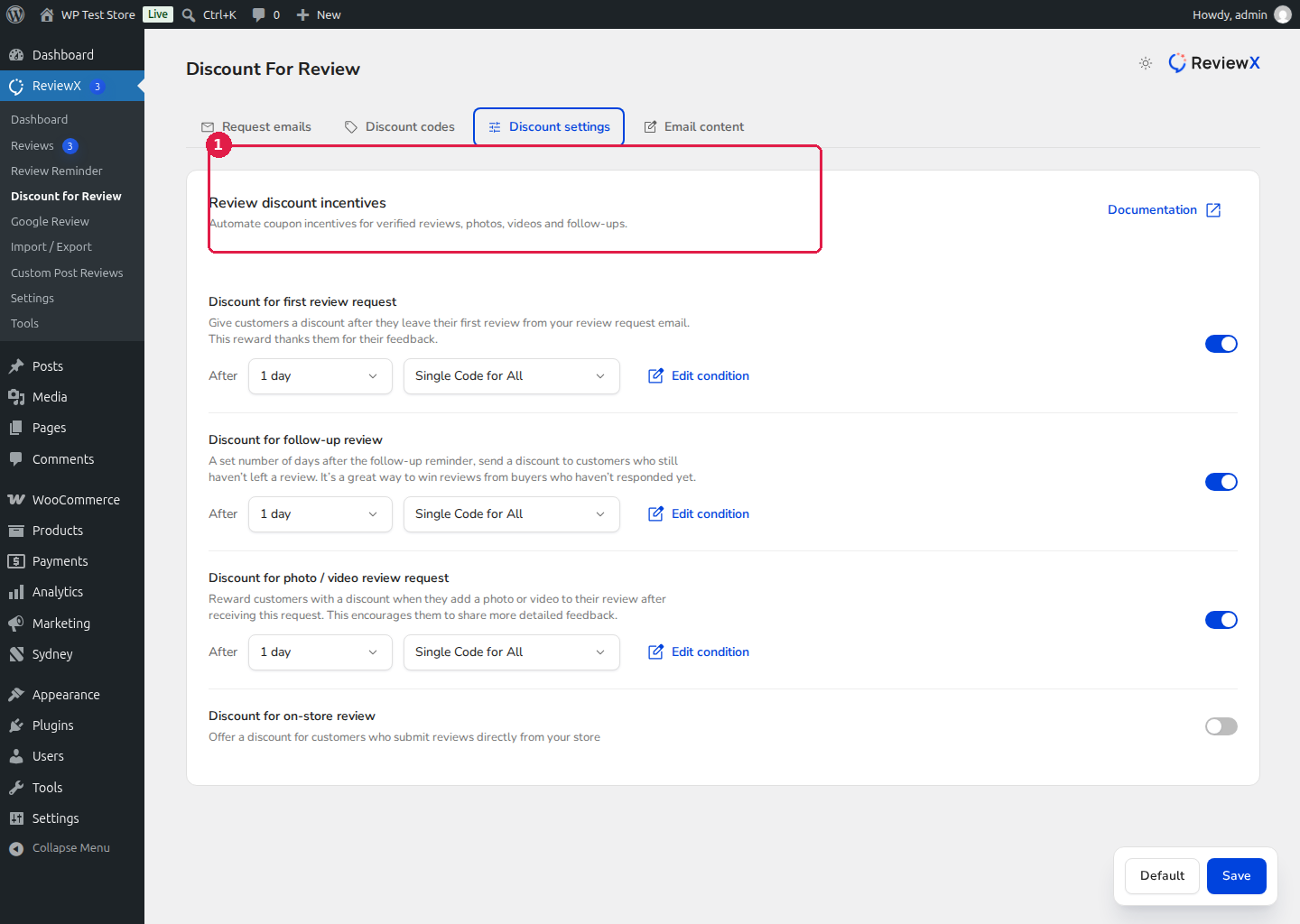
Figure 2: ReviewX Review Discount configuration dashboard linking automated coupons with verified reviews.
High-Converting Subject Lines
Your subject line is responsible for 80% of your open rate. Keep it personal, concise, and focused on value:
[customer_name], how did your [site_name] order work out?(Friendly, natural tone)Can we get your quick feedback, [customer_name]? (60 seconds)(Sets clear time expectation)[customer_name], here is 15% off your next order for your honest thoughts!(Incentive-focused)A quick question regarding your recent purchase with [site_name]...(Curiosity-driven)
Summary Checklist for Store Owners
Launch Checklist:
- ✓ Configure First Request timing between 5 and 10 days based on your shipping times.
- ✓ Enable Follow-Up emails with a 5-day delay for non-responders.
- ✓ Activate the Photo / Video review sequence to build rich visual social proof.
- ✓ Personalize subject and body copy with
[customer_name]and[site_name]merge tags. - ✓ Set up a 10%–15% Review Discount reward to motivate fence-sitters.
- ✓ Verify SMTP relay health to ensure emails land in the primary inbox.


