


Over 70% of customer reviews are submitted in response to automated email requests. The Review Reminder module in ReviewX automatically schedules and sends personalized review request emails when WooCommerce orders reach completed status.
Thank you for reading this post, don't forget to subscribe!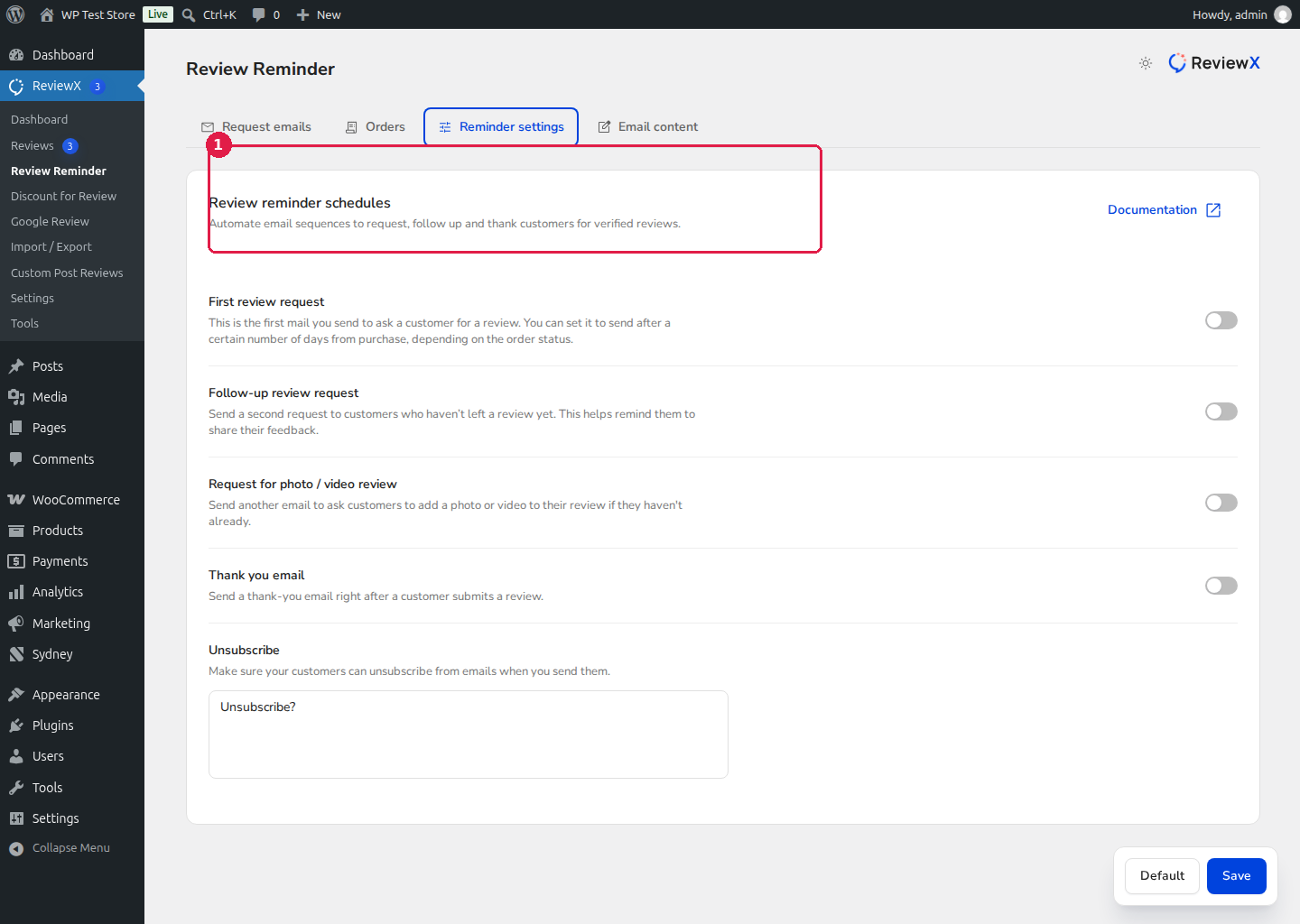
How Review Reminders Work
- Order Completion Trigger: A customer purchases products on your WooCommerce store. When the order status transitions to Completed, ReviewX schedules an automated reminder in the queue.
- Intelligent Schedule Delay: ReviewX waits a configured number of days (e.g. 7 days) to give the customer ample time to receive, unbox, and experience the product.
- Personalized Review Link: The customer receives an email featuring their purchased items, your store logo, and a direct one-click link to submit ratings and photo attachments.
Step-by-Step Setup
- In your WordPress admin dashboard, navigate to ReviewX → Review Reminder.
- Click the Reminder Settings tab.
- Under the Review Reminder card, toggle Automated review reminder [1] to ON.
- Set the schedule parameters [2]:
- Schedule delay: Choose how many days after order completion the reminder should be sent (recommended: 5–10 days depending on your shipping speed).
- Order status: Defaults to Completed orders.
- (Optional) Configure follow-up reminders and photo incentives under adjacent setting cards.
- Click Save [3] to apply your configuration.
Customizing Email Templates & Branding
Navigate to the Email Content tab to customize the email subject line, customer greeting, review call-to-action button, and email footer. To upload your store logo for email headers, visit ReviewX → Settings → General settings → Shop logo for email header.


