


In eCommerce email marketing, friction is the primary cause of lost customer reviews. When a customer receives a post-purchase review request, clicks the link, and is greeted with a password login prompt, up to 70% of shoppers immediately abandon the process. Many customers purchase as guests, forget their passwords, or browse on mobile devices where typing credentials is inconvenient.
Thank you for reading this post, don't forget to subscribe!ReviewX completely eliminates this friction through its Automated Tokenized Magic Link Architecture. When buyers click the review button inside their automated reminder email, ReviewX securely authenticates them in one click — taking them directly to a personalized review form with their verified identity, order details, and purchased products pre-loaded.
1. How the Tokenized Magic Link Flow Works
The ReviewX auto-login system operates across a secure, distributed execution pipeline between your WooCommerce store and the ReviewX cloud engine:
- Order Sync: When an order is completed, WooCommerce syncs order items, customer details, and fulfillment timestamps to the ReviewX SaaS engine.
- Cryptographic Link Generation: When the scheduled reminder triggers, ReviewX generates a unique, tamper-proof tracking URL embedding the customer’s unique identifier and order item unique ID:
GET https://app.reviewx.io/success-rate/email/click/{uid}/{orderItemWpUniqueId} - One-Click Redirection: When the shopper taps the CTA button in their email:
- ReviewX logs the click event in real-time analytics.
- Performs a secure 302 redirect to the customer review portal:
{portal_url}/review?uid={uid}&order_item={orderItemWpUniqueId}
- Pre-Populated Context: The review interface automatically loads the buyer’s verified name, email address, purchased product photo, title, and configured multi-criteria sliders — with zero login forms required.
- JWT Double-Write: When the review is submitted, ReviewX signs the payload with a secure JSON Web Token (JWT) and double-writes the approved review back to your WooCommerce database (
storefront/request/review/email/{site_uid}/store/items).
2. Security & Privacy Safeguards
Because customer security is paramount, ReviewX’s auto-login mechanism enforces strict boundaries:
- Scoped Exclusively to Review Submission: The tokenized magic link grants access only to the review submission form for that specific purchased item. It provides zero access to customer payment methods, account password settings, or billing details.
- Single-Use Completion Guard: The moment a customer submits their review, ReviewX flags the order item as
COMPLETED. Re-clicking the email link safely displays a confirmation message and prevents duplicate submissions. - Cryptographic Expiry: Tokens cannot be guessed or brute-forced, ensuring complete protection against unauthorized submissions.
3. Configuring Your Review Reminder Email Template
To ensure your emails leverage one-click submission links:
- Navigate to ReviewX → Review Reminder in your WordPress dashboard.
- In the Review Reminders tab, ensure your reminder sequence is active and scheduled (e.g. 7 days post-fulfillment).
- Switch to the Email Content tab to inspect your message template.
- Ensure the [review_button] or [review_link] merge tag is embedded in your email body.
- Click Save to activate frictionless review requests.
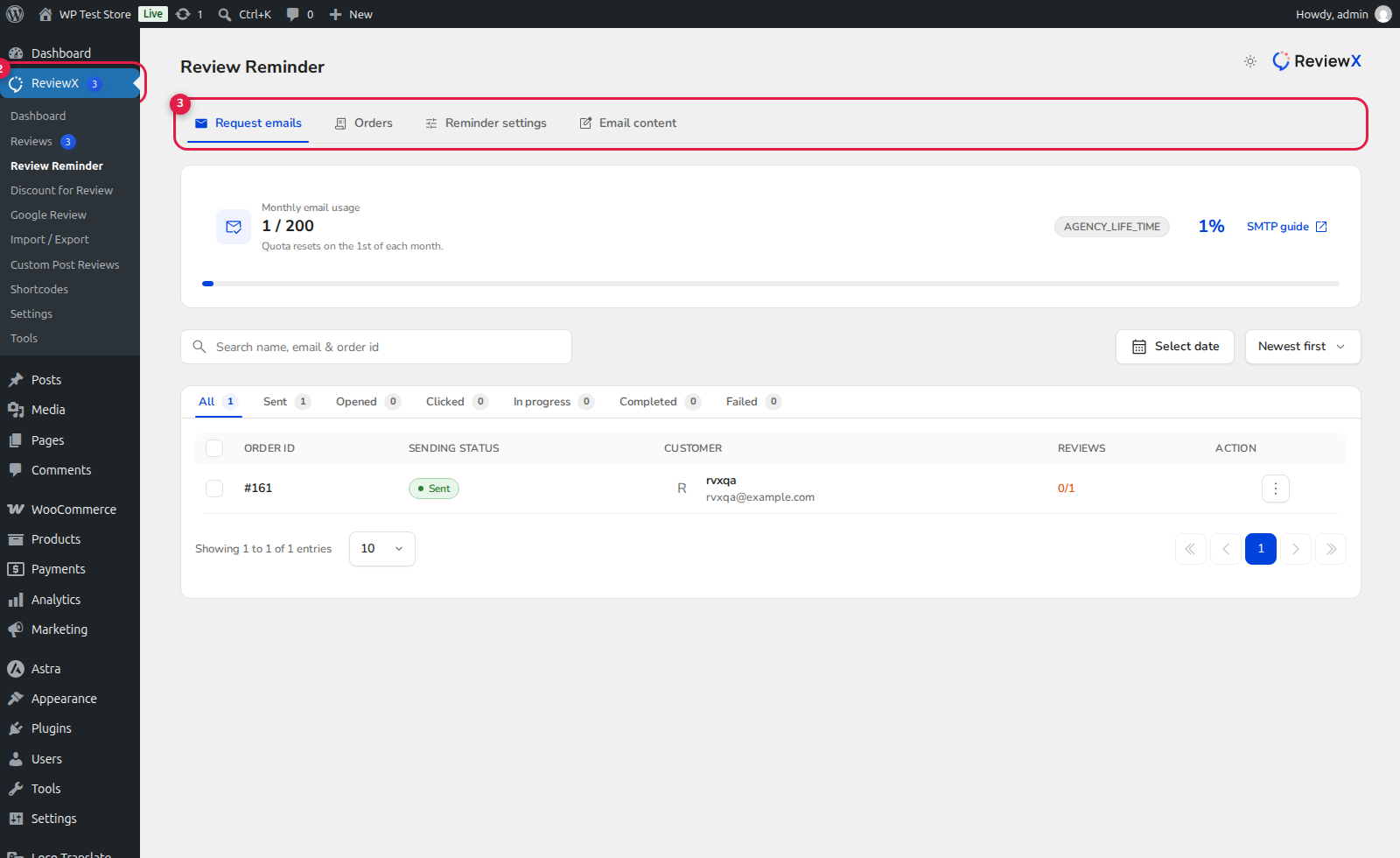
(1) Automated Timing Settings: Configures delivery cadence after order completion.
(2) Review Submission CTA Button: Automatically embeds the secure, tokenized one-click magic link.
(3) Email Navigation Tabs: Switch between template designs, reminder logs, and monthly send quotas.
4. The Measurable Impact on Review Conversion Rates
Stores utilizing ReviewX’s tokenized auto-login links report a 3x to 5x higher review submission rate compared to standard email templates that redirect shoppers to a login page. Removing the login barrier turns casual shoppers into active brand advocates.


