


When prospective customers evaluate product reviews, they don’t just judge customer comments—they closely scrutinize how the store owner responds. A thoughtful, prompt store owner reply to a critical review often wins more customer trust than a dozen generic 5-star testimonials. Establishing a verified, branded presence in your review replies and receiving immediate email alerts for low-rated reviews empowers your customer service team to turn negative experiences into loyal brand advocates. ReviewX provides centralized Store Owner Reply Branding and Admin Notification Controls.
Thank you for reading this post, don't forget to subscribe!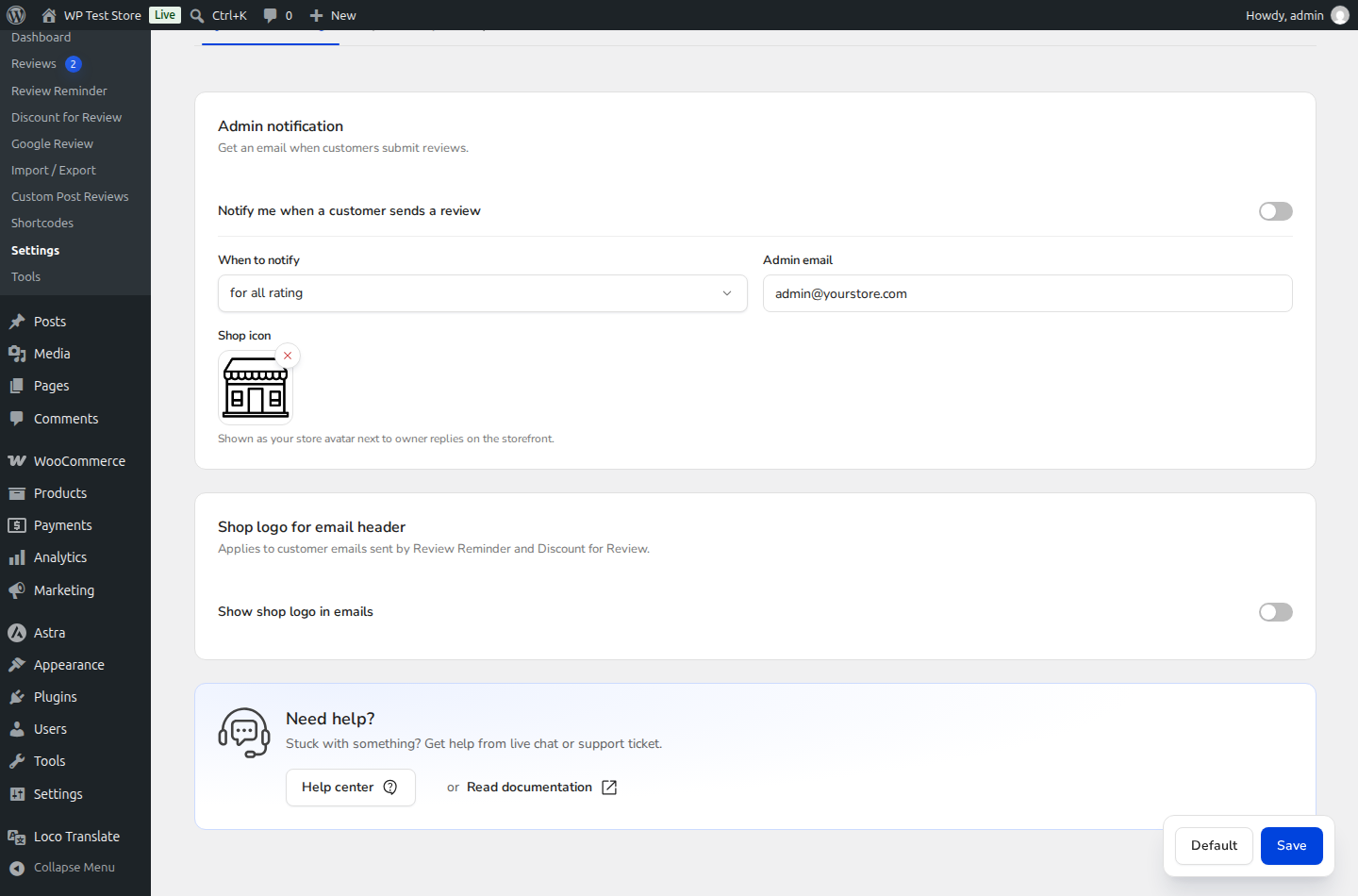
The Power of Public Customer Care
Over 89% of online shoppers read store owner replies to reviews before making a purchase. Displaying a verified store badge alongside your responses proves that your brand actively supports its buyers.
Step-by-Step Configuration Guide
Step 1: Open General Settings
In your WordPress admin menu, navigate to ReviewX → Settings and select the General tab.
Step 2: Configure Admin Notification Alerts
Scroll down to the Admin notification section (marked with Badge 1):
- Notification Recipient Email: Enter your designated customer support email address (e.g.,
support@yourstore.com). - Notification Conditions: Choose when your team receives automated alerts (e.g., on every new submission, or restricted to 1-star and 2-star reviews for urgent escalation).
Step 3: Enable and Upload Custom Admin Reply Logo
Locate the Custom logo for admin reply option (marked with Badge 2):
- Toggle the switch to the ON position.
- Click Upload Image to select your official square brand logo, store avatar, or customer service representative photo (recommended size: 200x200px PNG or WebP).
Step 4: Save Settings
Click Save changes at the bottom of the page. Your custom avatar and verified store badge will immediately display on all existing and future store owner replies across your storefront.
Storefront Threading & Customer Email Alerts
When you post a store owner reply via the ReviewX moderation dashboard:
- The reply appears indented beneath the customer review card with a distinct Store Owner verification badge and your custom logo.
- ReviewX automatically sends an email notification to the reviewer letting them know the store has responded to their feedback, providing a direct link back to the product page.


