


Displaying the customer’s real name alongside their product feedback establishes authentic social proof and trust for prospective buyers visiting your store. Humanizing testimonials with real names reassures shoppers that your reviews represent genuine experiences from actual people.
Thank you for reading this post, don't forget to subscribe!ReviewX provides centralized identity controls under ReviewX → Reviews → Review settings, allowing store owners to display reviewer names proudly, customize typography and colors, or toggle privacy masking when needed.
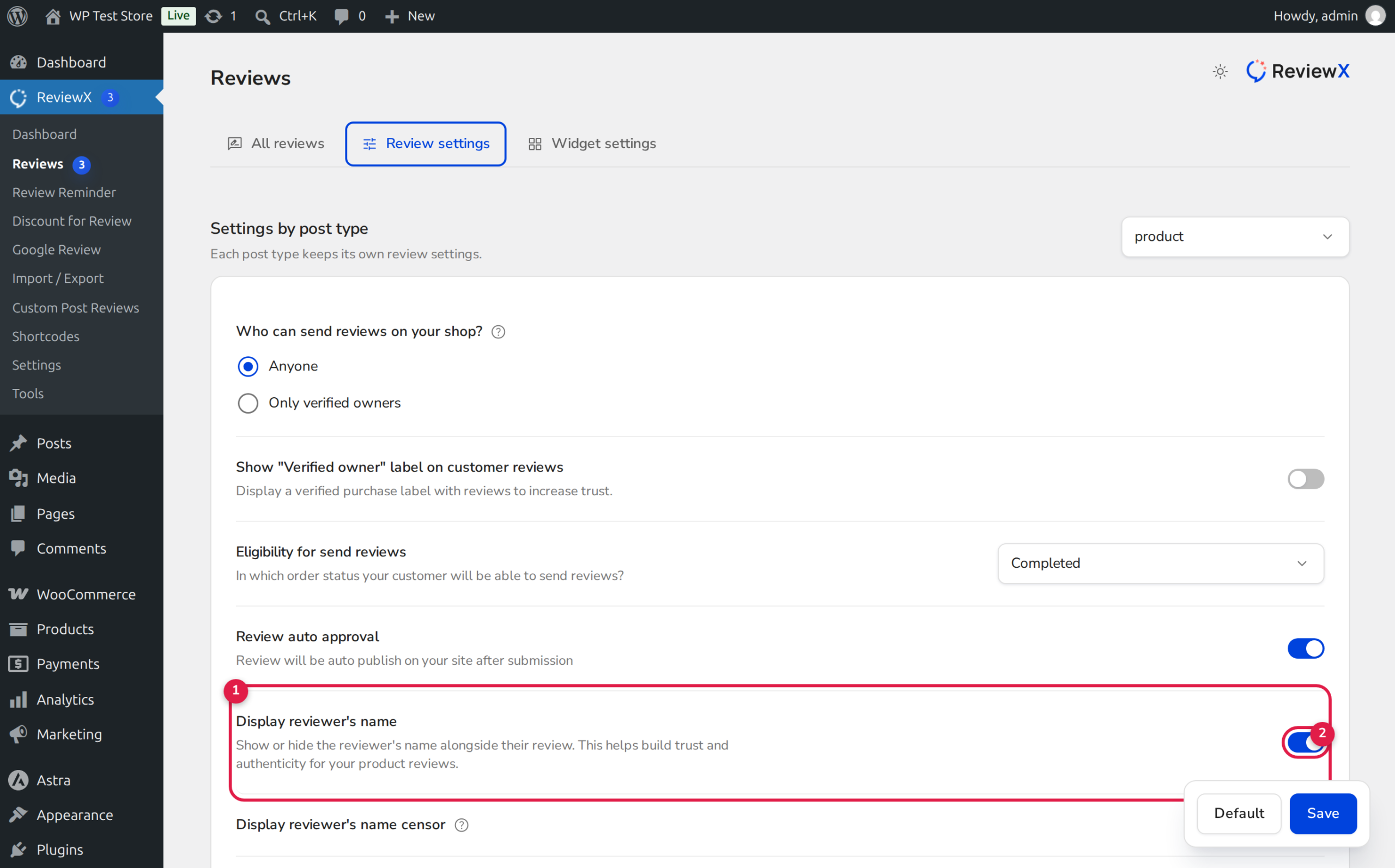
Customer Identity Resolution Architecture
ReviewX resolves the author’s identity through a clear data hierarchy:
1. Registered Accounts: Uses the customer’s WordPress display_name or combined first_name + last_name.
2. Guest Checkouts: Extracts billing name information captured at checkout or submitted via the review form.
3. Storage: Persisted natively in wp_comments.comment_author and synced via ReviewPayload['reviewer_name'].
Step-by-Step Guide: Displaying Reviewer Names
Step 1: Open Review Settings
Log in to your WordPress admin panel and navigate to ReviewX → Reviews. Click on the Review settings tab.
Step 2: Locate the Reviewer Name Setting
Scroll down to the option labeled Display reviewer’s name (marked with Badge 1 in the illustration above):
- Review the feature description: “Show or hide the reviewer’s name alongside their review. This helps build trust and authenticity for your product reviews.”
- Ensure the toggle switch (Badge 2) is set to active (blue).
Step 3: Save and Verify on Storefront
Click the Save button at the bottom of the page. Open any product page with existing reviews on your storefront to verify that author names appear prominently above the rating stars.
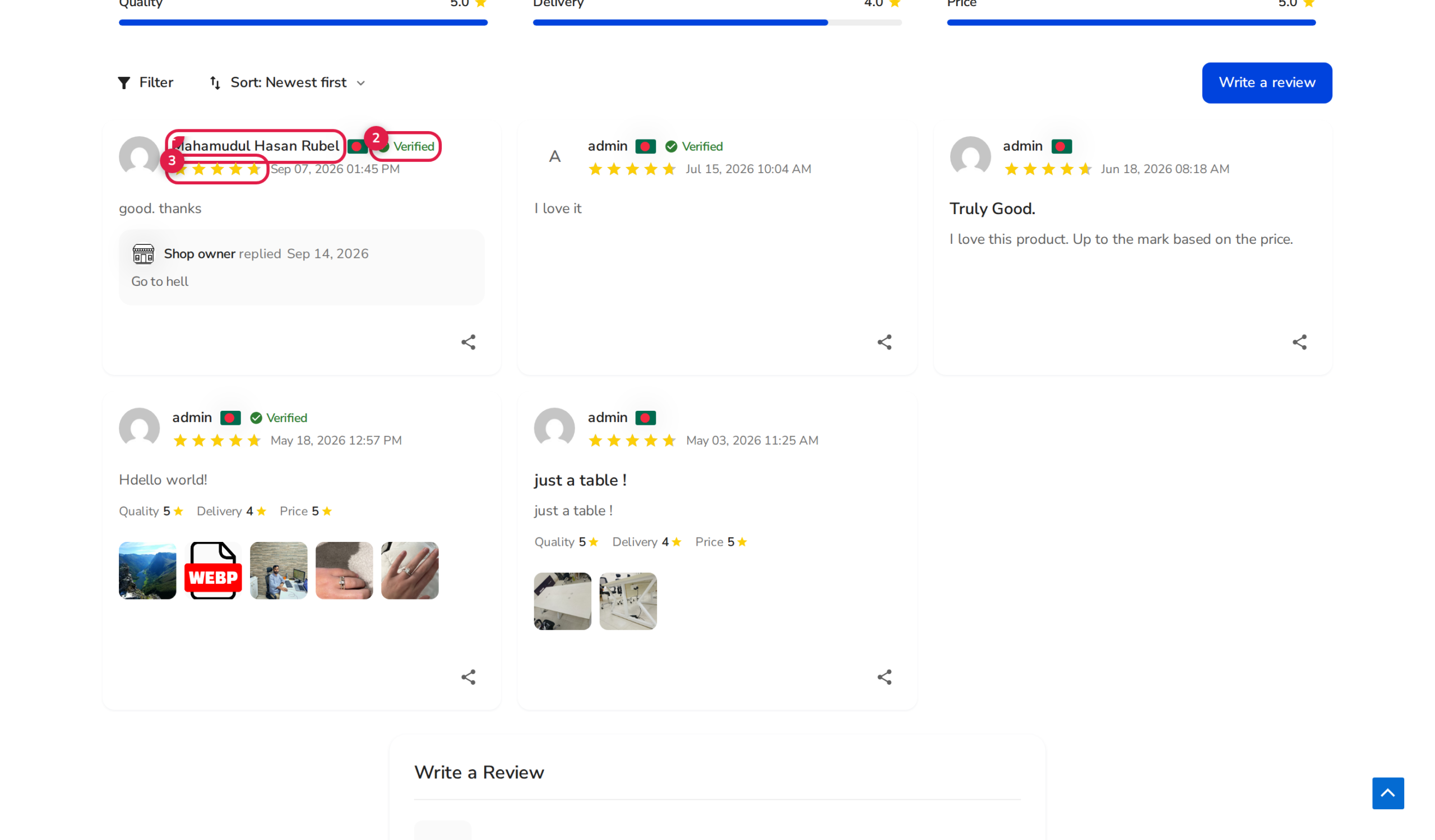
Customizing Name Styling via Live Customizer
ReviewX allows you to style the typography of author names using the native WordPress Live Customizer:
| Customizer Property | CSS Target / Key | Default Value |
|---|---|---|
| Text Color | rvx_reviews_items_reviewer_name_text_color | #424242 |
| Font Size | rvx_reviews_items_reviewer_name_text_font_size | 16px (10px–28px range) |
| Font Weight | .rvx-review-user__name font-weight | Semi-bold (600) |
Balancing Authenticity and Privacy
While displaying full names offers high authenticity, some customers prefer privacy protection when reviewing sensitive products. ReviewX provides two flexible solutions:
- Name Censoring: Enable Display reviewer’s name censor to mask middle characters (e.g.,
Sarah JenkinsbecomesS*** J***). - Anonymous Reviews: Enable Allow anonymous review to give shoppers a voluntary checkbox on the submission form to post anonymously while retaining their verified buyer status.
Frequently Asked Questions
Can an administrator edit a reviewer’s name after submission?
Yes. Go to ReviewX → Reviews, hover over the review, and click Edit. In the side drawer, you can update the customer’s display name and click Update.
Does ReviewX show user avatars next to the name?
Yes. ReviewX pulls the Gravatar associated with the customer’s email address or renders modern initial avatars if no Gravatar profile is available.
What happens if a guest customer leaves the name field blank?
If guest reviews are enabled and the name field is omitted, ReviewX falls back to a clean default label like “Shopper” or “Customer”.


