


In modern cross-border eCommerce, showing where your customers are located provides invaluable geographic social proof. Displaying small country flags alongside reviewer names signals to prospective buyers that your store is globally trusted and actively ships to their region. An international customer browsing from Canada, the UK, or Germany feels significantly more confident placing an order when they see verified reviews from fellow shoppers in their own country.
Thank you for reading this post, don't forget to subscribe!ReviewX includes a built-in, privacy-respecting geolocation system that automatically resolves and displays reviewer country flags. This guide explains how ReviewX determines country locations, how to enable country display, and how to style the flags in your storefront.
1. How ReviewX Geolocation Architecture Works (Privacy-First)
ReviewX resolves reviewer country on the shop’s own server using the dedicated utility app/Utilities/Geo.php. Unlike third-party scripts that track visitors across the web, ReviewX implements a strict, privacy-first data hierarchy:
- Order Billing / Shipping Address (Highest Priority): For verified purchases, ReviewX inspects the actual country selected during checkout (
$order->get_billing_country() ?: $order->get_shipping_country()). Stated checkout data beats any IP inference. - Registered Customer Profile: For registered users leaving reviews, ReviewX reads their saved user meta billing country (
billing_country). - WooCommerce Analytics Guest Lookup: For guest shoppers, ReviewX looks up previous customer records in the database table (
{$wpdb->prefix}wc_customer_lookup). - Server & CDN Country Headers: During live frontend submissions, ReviewX checks trusted reverse-proxy headers (such as Cloudflare’s
CF-IPCountryor WooCommerce MaxMind GeoIP). - Developer Filter Hook: Developers can override the detected country programmatically using the
reviewx_reviewer_countryfilter.
US, GB, CA, DE) travels to the database and sync services.
2. Step-by-Step: Enabling Reviewer Country Display
To display country flags next to customer reviews across your store:
- Navigate to ReviewX → Reviews in your WordPress dashboard.
- Click the Review settings button in the top navigation bar.
- Locate the row labeled Display reviewer country with review.
- Toggle the switch to the ON position.
- Optionally review adjacent privacy settings:
- Show reviewer name: Controls whether the customer’s full name is published.
- Censor reviewer name: Masks letters (e.g., J*** D**) for shoppers who prefer partial anonymity.
- Click Save to apply your configuration.
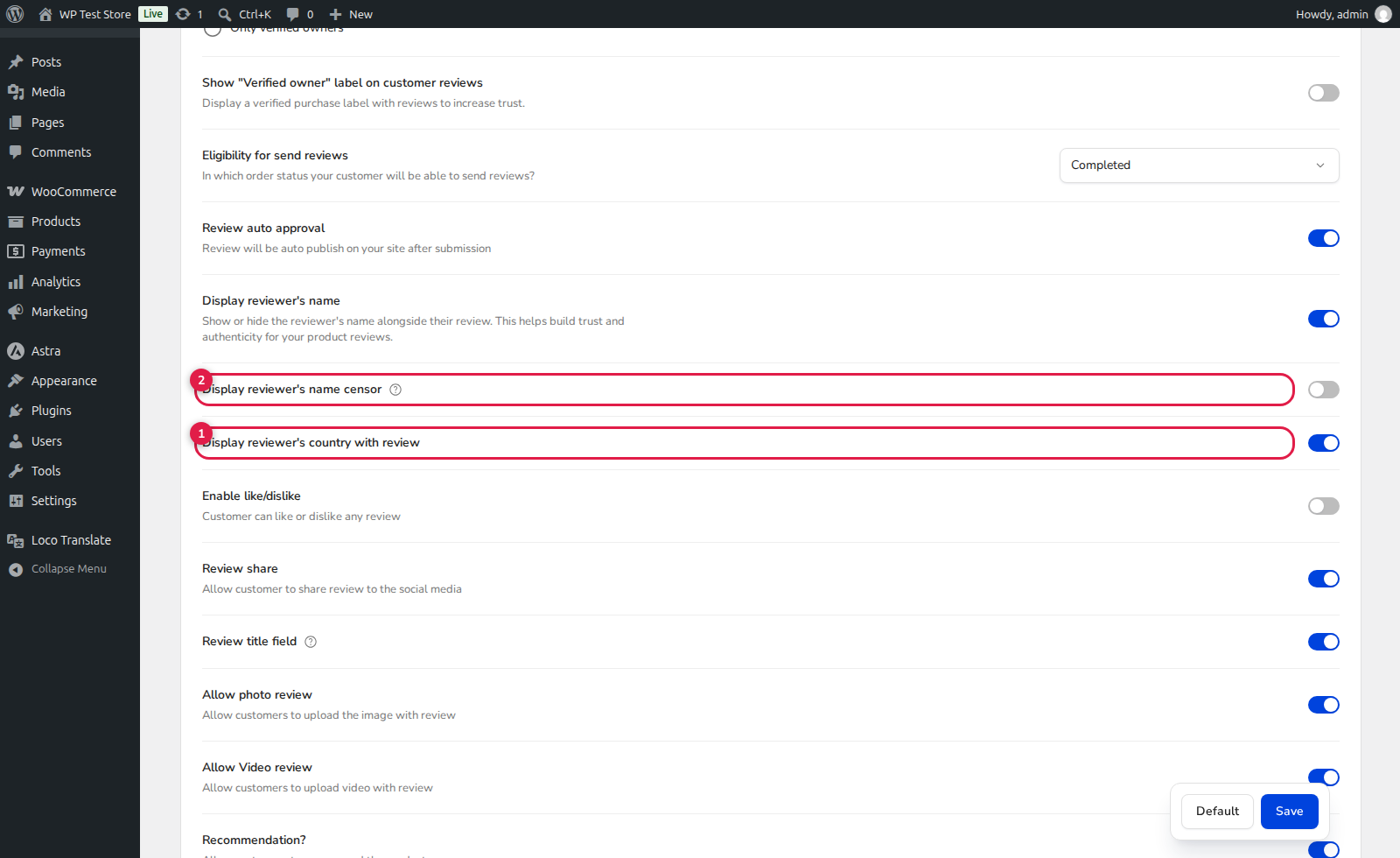
(1) Display Reviewer Country with Review: Enables country flag icon rendering next to the author header.
(2) Censor Reviewer Name: Privacy masking feature for reviewer names.
(3) Show Reviewer Name: Master toggle for customer name visibility.
3. Storefront Display & Live Customizer Styling
Once enabled, ReviewX renders a crisp vector flag icon and country label next to the reviewer’s name and verified badge in all review cards:
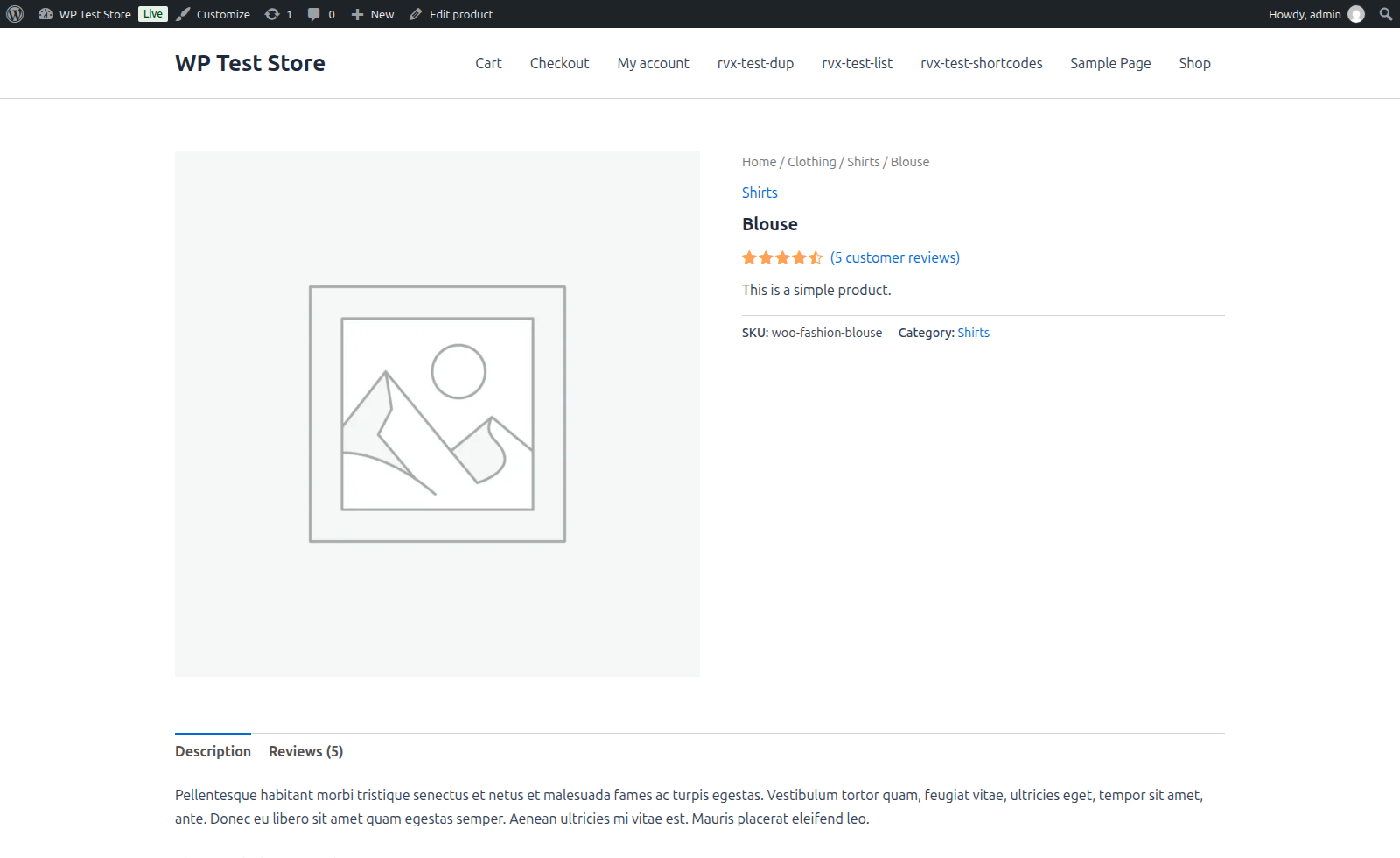
(1) Author Header & Flag: Reviewer name accompanied by their country flag badge.
(2) Star Rating & Multi-Criteria: Star rating breakdown and criteria scores.
(3) Verified Purchase Badge & Body: Authenticated buyer badge, review title, and detailed feedback.
To adjust flag positioning, border radius, or badge margins, navigate to Appearance → Customize → ReviewX → Review List in the WordPress Live Customizer.
4. Developer Filter Hook: Overriding Country Codes
If you have a custom IP-lookup service or need to sanitize country codes for staging environments, use the built-in filter:
/**
 * Filter Reviewer Country Code in ReviewX
 *
 * @param string|null $code Two-letter ISO country code (e.g. 'US', 'GB')
 * @param string|null $ip   Visitor IP address
 * @param array       $ctx  Context array (order_id, user_id, email)
 * @return string|null
 */
add_filter( 'reviewx_reviewer_country', function( $code, $ip, $ctx ) {
    // Custom fallback or geolocation override
    if ( empty( $code ) && ! empty( $ctx['order_id'] ) ) {
        $order = wc_get_order( $ctx['order_id'] );
        if ( $order ) {
            return $order->get_billing_country();
        }
    }
    return $code;
}, 10, 3 );


