


When upgrading from the free version of a WordPress plugin to a premium tier, many users expect to receive a heavy secondary “Pro” .zip file that must be uploaded alongside the core plugin. With legacy plugins, managing two separate plugins often leads to version mismatches, fatal PHP errors, and duplicated database queries.
Thank you for reading this post, don't forget to subscribe!ReviewX uses a modern, unified architecture. You do NOT need to download, upload, or install a separate “ReviewX Pro” plugin. The core ReviewX plugin already contains the entire codebase for both Free and Pro features. Simply entering your Pro license key instantly activates all premium capabilities without installing any additional files.
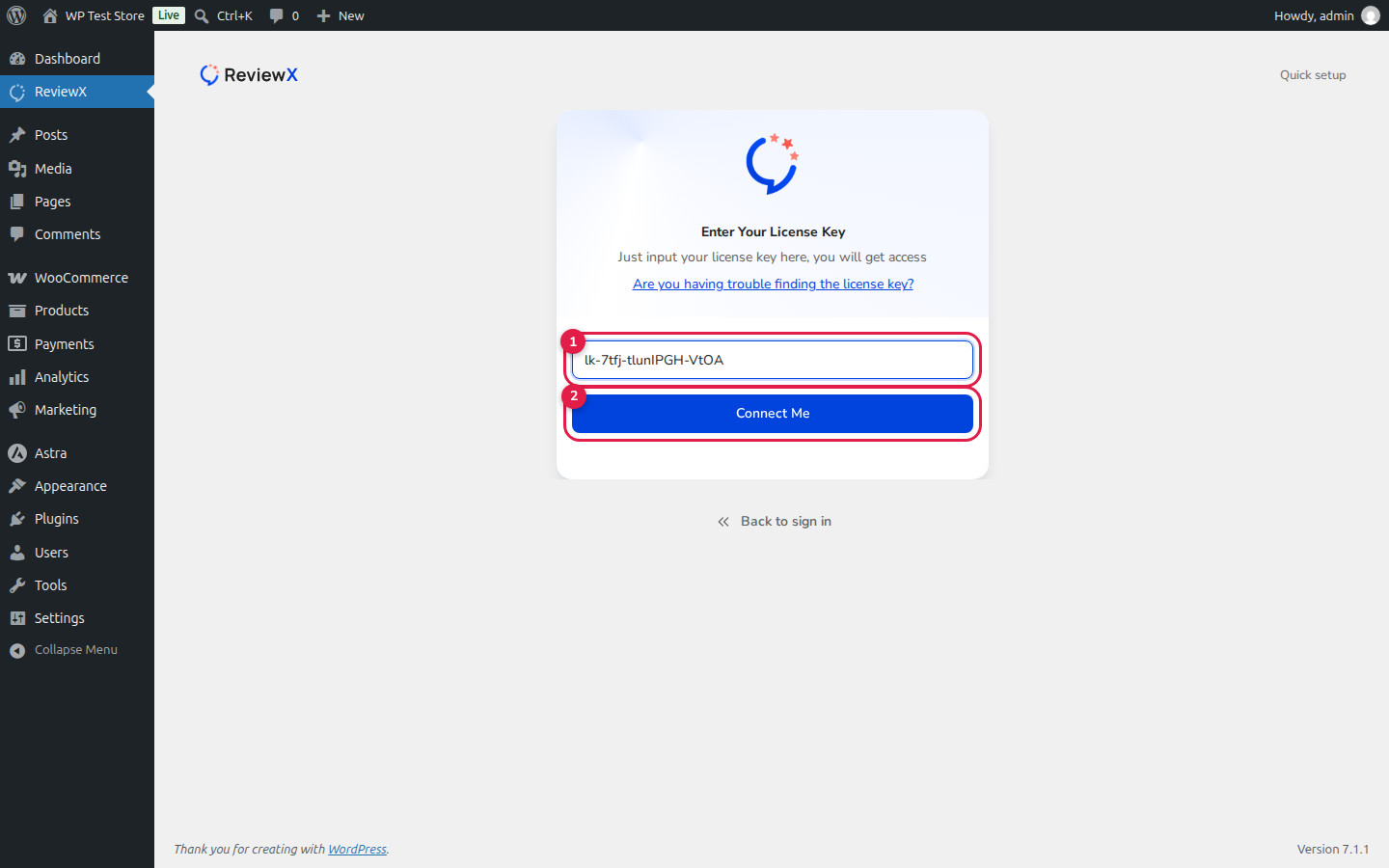
The Single-Plugin Architecture Advantage
Because ReviewX utilizes a single unified codebase, your WordPress site benefits from zero code duplication, zero plugin conflict risk, and seamless 1-click background updates managed directly through the official WordPress dashboard.
What Features Does the Pro License Unlock?
Once you activate your ReviewX Pro license key, the plugin immediately unlocks an extensive suite of advanced e-commerce capabilities:
- Unlimited Review Criteria: Expand beyond the default 3 criteria to evaluate specific product attributes (Quality, Fit, Durability, Scent, Battery Life, etc.).
- Visual Photo & Video Reviews: Allow customers to upload photos and embed videos from YouTube, Vimeo, and Dailymotion.
- Automated Review Reminders: Configure multi-stage automated review request sequences (First Request, Follow-Up, and Photo/Video Request).
- Tiered Discount Incentives: Auto-generate single-use WooCommerce coupons for verified reviews, follow-up submissions, and media uploads.
- Custom Post Type Integrations: Collect and display rich multi-criteria reviews for Easy Digital Downloads, LifterLMS, and custom CPTs.
- Branded Admin Identity: Display your custom store logo and staff badges next to merchant review replies.
- Live Customizer Design Controls: Customize widget colors, layouts, fonts, review card styles, and verified badges.
Step-by-Step Guide: Activating Your Pro License
Step 1: Install Core ReviewX
If you have not already installed ReviewX, install it via Plugins → Add New (searching for “ReviewX”) or upload the reviewx.zip archive.
Step 2: Obtain Your License Key
Log in to your account at the ReviewX Client Portal. In your dashboard, locate your active subscription and copy your license key (formatted like lk-XXXX-XXXX-XXXX).
Step 3: Enter Your License Key in WordPress
In your WordPress admin dashboard, navigate to the ReviewX onboarding screen or go to ReviewX → Settings → License. Paste your key into the license field and click Activate License.
Step 4: Start Using Pro Features
ReviewX validates your license instantly with the cloud API. Upon successful activation, all Pro features, criteria limits, and email automation tools become immediately available across your admin menu.
Frequently Asked Questions
What happens to my reviews if my Pro license expires?
Your customer reviews, photos, videos, and ratings remain 100% safe and permanently published on your site. If a license expires, you simply lose access to cloud email reminder dispatches and new Pro feature updates until renewed.
Can I use my Pro key on a staging or development site?
Yes. ReviewX allows license transfers and supports staging domains. You can manage connected domains directly from your ReviewX Client Portal account.
Will upgrading to Pro slow down my website?
No. All heavy operations (email scheduling, coupon generation, quota management) are handled asynchronously via the ReviewX SaaS cloud engine, keeping your WordPress site fast and responsive.


