


For privacy-conscious stores and industries handling sensitive purchases, finding the balance between authentic social proof and customer confidentiality can be challenging. Displaying a customer’s full real name can lead to privacy hesitation, but completely removing author names can make reviews appear synthetic or fabricated.
Thank you for reading this post, don't forget to subscribe!ReviewX solves this dilemma with its built-in Censor Reviewer Name feature. This intelligent masking system automatically replaces intermediate characters with asterisks (e.g., transforming Michael Anderson into M*** A***), providing clear proof that real customers authored the feedback while guarding their personal identity.
GDPR & Global Privacy Compliance
Automated name censoring ensures your store complies with stringent global data protection regulations—including the EU General Data Protection Regulation (GDPR) and the California Consumer Privacy Act (CCPA). Masked names prevent third-party bots and automated scrapers from collecting customer personally identifiable information (PII) from your product pages.
How Name Censoring Operates Programmatically
ReviewX executes name censorship dynamically at the render layer:
- Raw Database Retention: The actual customer name is preserved in the database (
wp_comments.comment_author) and in your admin reviews ledger, ensuring you always know who wrote the review. - Algorithmic Masking: When rendering the review card on the storefront, ReviewX analyzes the author string:
John Doe  →  J*** D***
Samantha  →  S***
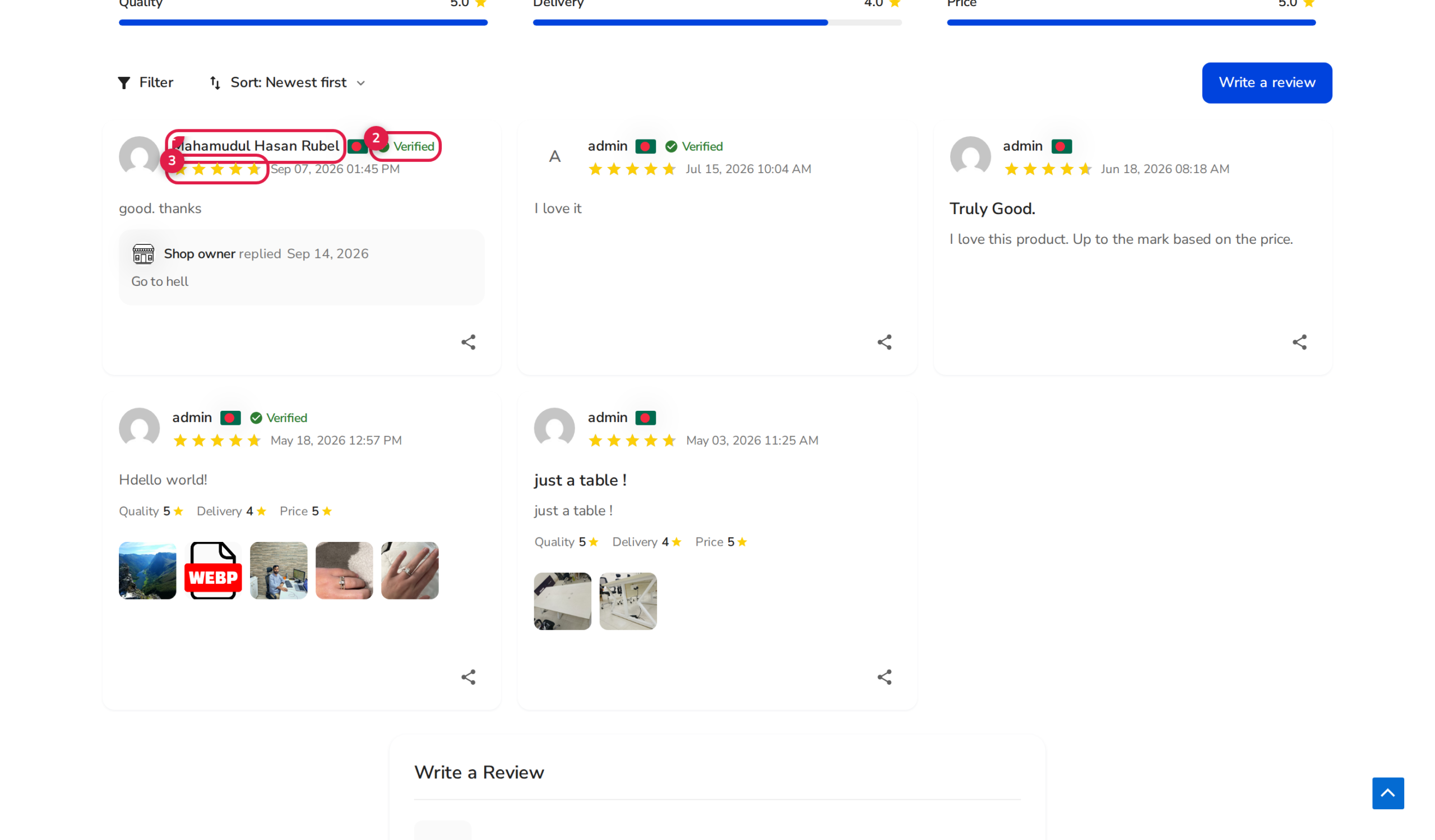
- Storefront & Widget Display: The censored name renders alongside the star rating, criteria bars, and verified purchaser badge.
Step-by-Step Guide: Enabling Censored Reviewer Names
Step 1: Open Review Settings
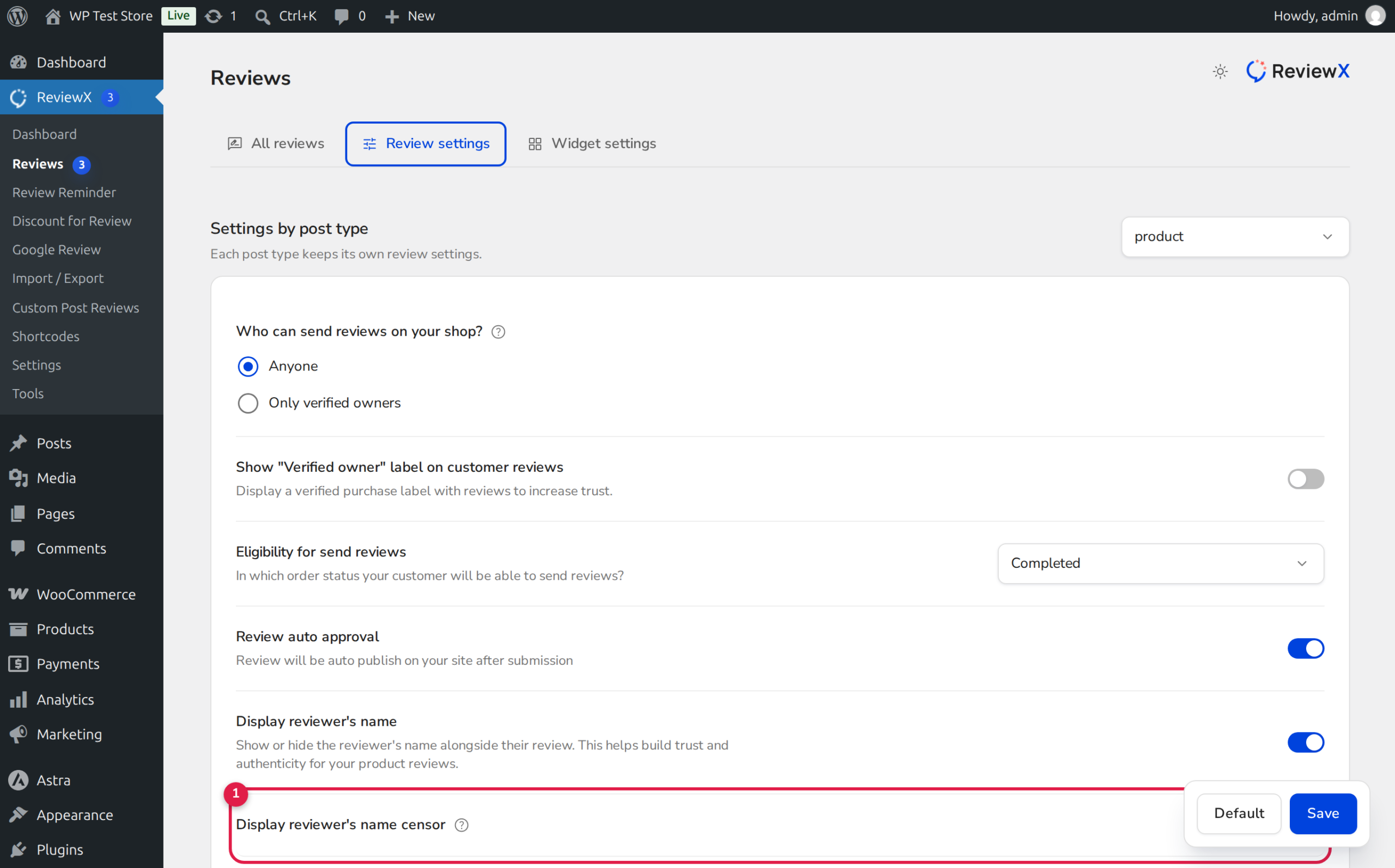
Log in to your WordPress dashboard, navigate to ReviewX → Reviews, and select the Review settings tab.
Step 2: Ensure Display Reviewer Name is Active
Confirm that the primary Display reviewer’s name setting is toggled ON. Name censorship operates as a modifier on the author name display.
Step 3: Enable Censor Reviewer Name
Locate the setting titled Display reviewer’s name censor (marked with Badge 1 in the configuration screenshot above):
- Toggle the switch to active (blue).
- Review the descriptive note: “Censor the reviewer name so customers can review with privacy.”
Step 4: Save Settings
Click the Save button. Refresh any product page with reviews to verify that customer names are immediately masked.
Pairing Censorship with Anonymous Reviews
For maximum customer comfort, you can enable both Display reviewer’s name censor and Allow anonymous review (Badge 2):
| Feature Configuration | Customer Storefront Display | Best Use Case |
|---|---|---|
| Censored Name ON | J*** D*** | General e-commerce, apparel, and lifestyle stores wanting privacy without sacrificing proof. |
| Anonymous Review Checked | Anonymous / Verified Customer | Intimate apparel, medical supplies, sexual wellness, or legal services. |
| Full Name Display | John Doe | B2B software, electronics, tools, and consumer goods. |
Frequently Asked Questions
Does name censoring alter existing reviews permanently?
No. Censorship is applied dynamically during page rendering. Your database retains the actual customer name. If you ever turn off the censor setting, full names will immediately reappear without data corruption.
Can customers see their own full name when logged in?
The storefront renders the masked format consistently for all visitors to maintain uniform layout styling across cached pages.
Does name censoring interfere with the Verified Owner badge?
Not at all. The Verified Owner badge functions independently and continues to verify and display legitimate purchases alongside the masked name.


