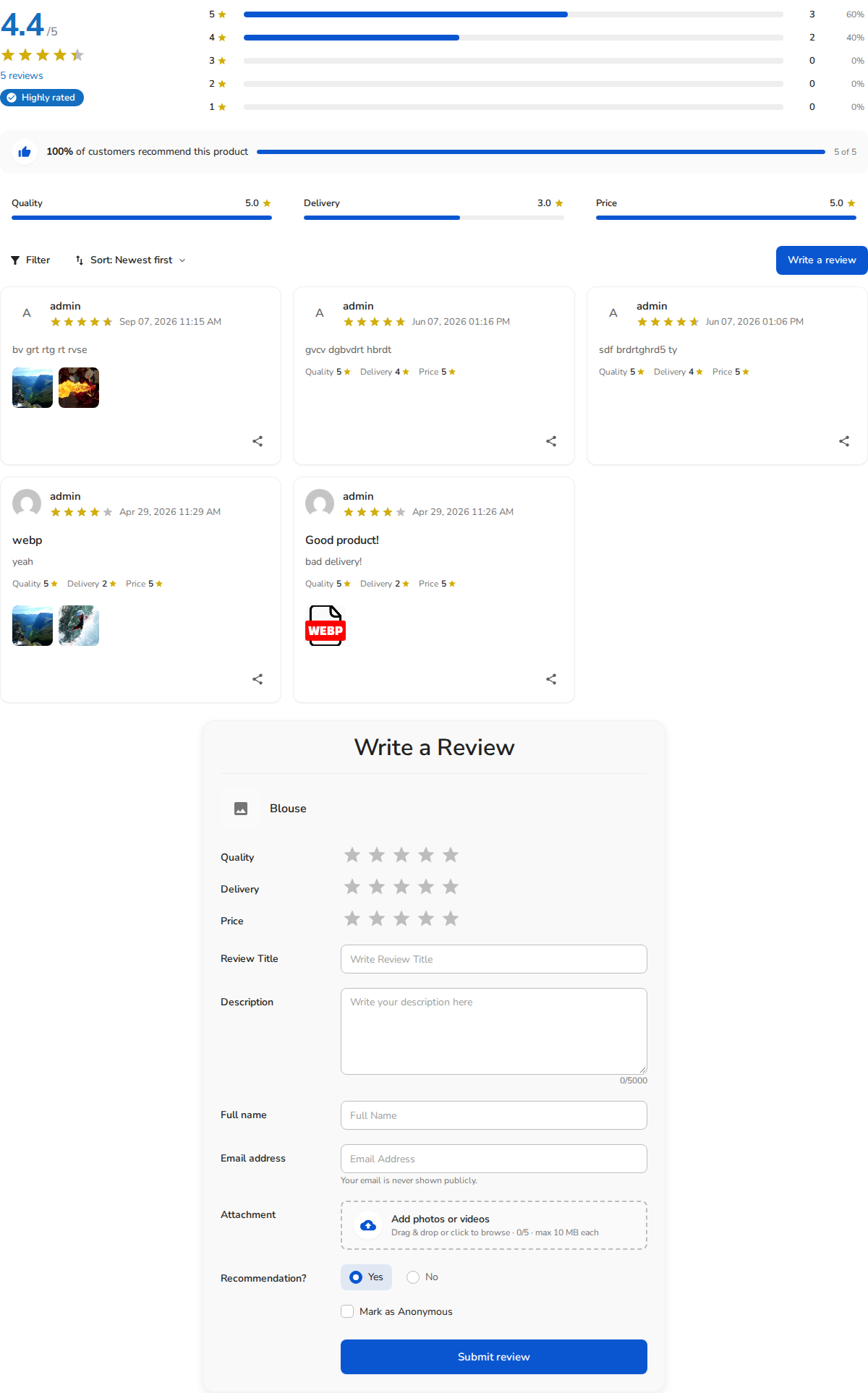
The [rvx-review-form] shortcode gives you the most control over which review-page pieces appear and in what combination — graph, filters, list, sorting, rating filter, and attachment filter can each be switched on or off independently, plus a fixed per-page count and an optional custom form “designer” template. If [rvx-woo-reviews] is the all-or-nothing version, [rvx-review-form] is the pick-and-choose version.
Basic usage
[rvx-review-form]
Parameters
| Parameter | Default | What it does |
|---|---|---|
title |
none | Optional heading for the block. |
product_id |
current post | Target a specific WooCommerce product by ID. |
post_id |
current post | Target a specific custom post type entry by ID. |
graph |
off |
Show the criteria/rating graph. Unlike [rvx-woo-reviews], this defaults to hidden. |
filter |
off |
Show the filter bar. Defaults to hidden. |
list |
off |
Show the review list. Defaults to hidden. |
form |
on |
Show the review submission form. This is the one piece that’s visible by default, matching the shortcode’s name. |
sort_by |
on |
Show the sort dropdown (only relevant if list="on"). |
rating |
on |
Show the star-rating filter (only relevant if filter="on"). |
attachment |
on |
Show the photo/video filter (only relevant if filter="on"). |
per_page |
your Reviews Per Page setting | How many reviews load per page, when the list is shown. |
designer_id |
none | Advanced: render the form using a specific saved form-designer template ID, if you’ve customized the form layout under Widget Settings. |
Examples
Just the submission form, nothing else — useful when you already show reviews elsewhere and only need a “leave a review” call-to-action block:
[rvx-review-form product_id="128"]
Form plus the criteria graph, no list and no filters:
[rvx-review-form product_id="128" graph="on"]
Everything on, functionally equivalent to [rvx-woo-reviews] but with independent sort/rating/attachment toggles:
[rvx-review-form product_id="128" graph="on" filter="on" list="on"]
[rvx-review-form] vs. [rvx-woo-reviews]
Both shortcodes can render the exact same graph+filter+list+form combination — the difference is which pieces are visible by default. [rvx-woo-reviews] defaults to everything on, so it’s a one-line drop-in replacement for a standard product review section. [rvx-review-form] defaults to just the form, which makes it the more predictable choice when you’re building a custom layout piece by piece and don’t want to remember to turn things off.
Related shortcodes
- [rvx-woo-reviews] — same building blocks, opposite defaults
- [rvx-review-list] — list only, with full filter control