


Every customer review across your WooCommerce store — regardless of product, rating, or submission date — is centralized in one intuitive dashboard: ReviewX → Reviews → All reviews. It serves as your primary control center for monitoring customer sentiment, moderating feedback, responding to shoppers, and maintaining social proof integrity.
Thank you for reading this post, don't forget to subscribe!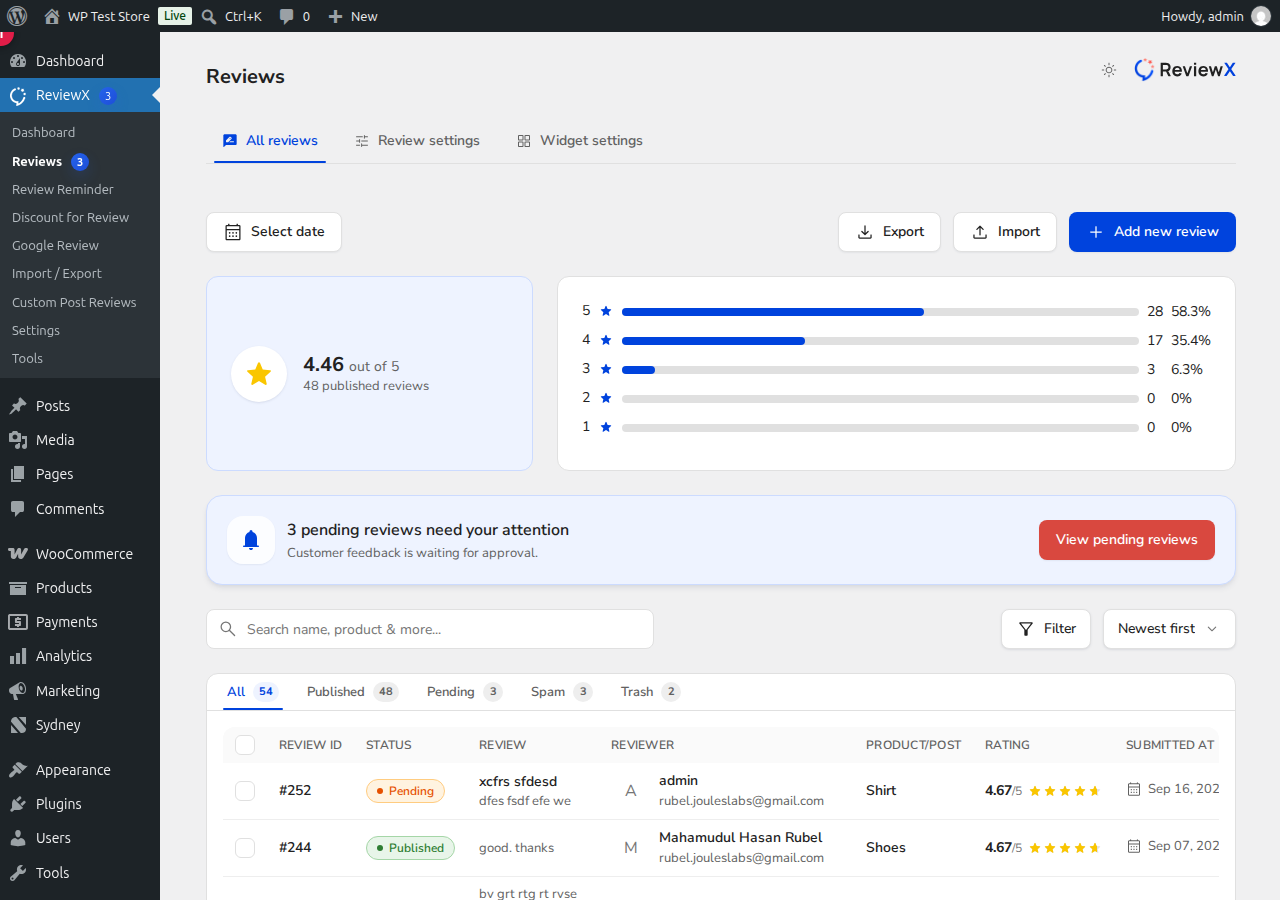
Understanding the Reviews Dashboard
When you navigate to the All reviews tab, you are presented with a real-time overview of your store’s customer feedback:
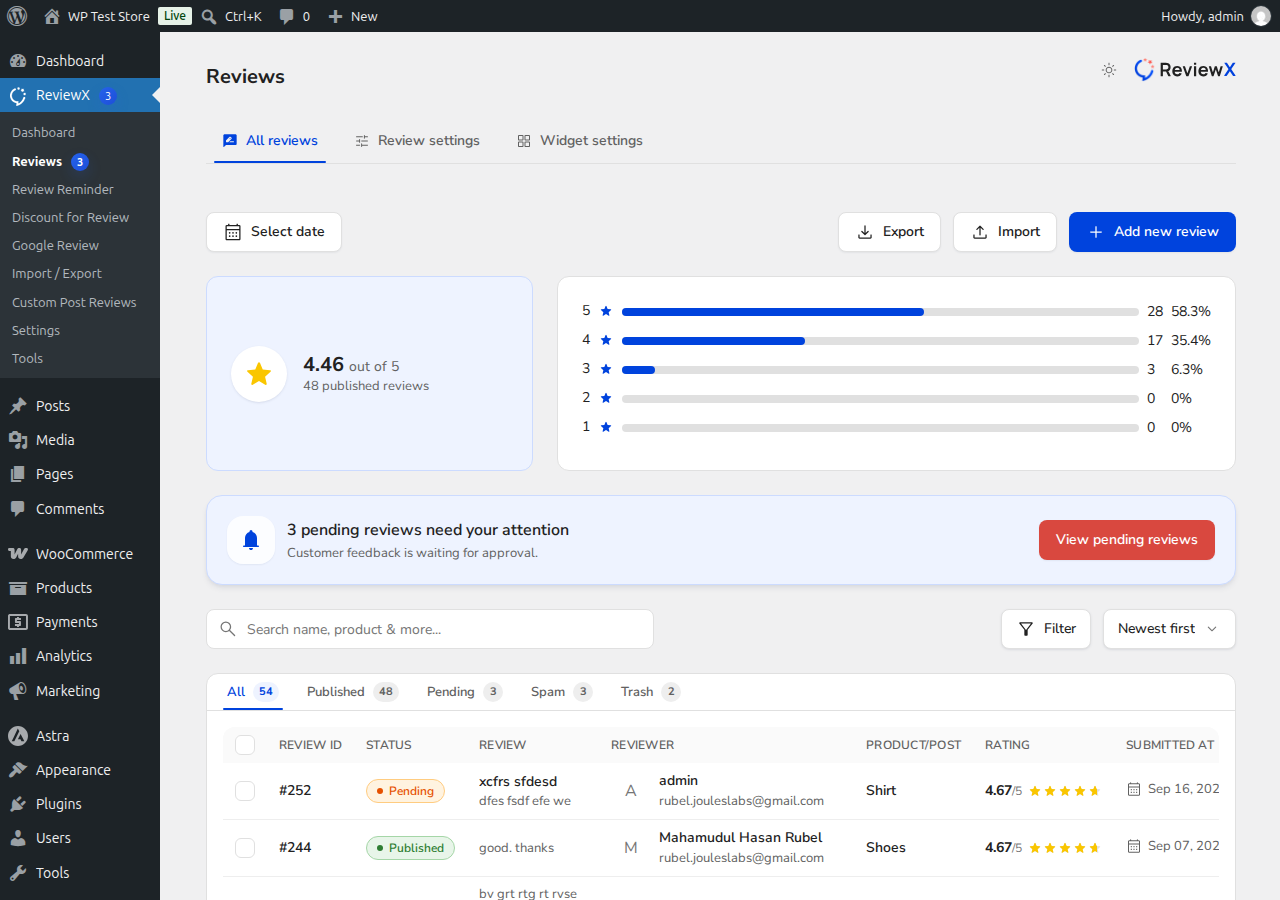
- Overall Rating & Breakdown: A high-level card displays your store’s aggregate score (e.g., 4.46 out of 5 stars) alongside a distribution bar chart highlighting the exact count and percentage for each star tier (5-star down to 1-star).
- Pending Reviews Alert: If any new reviews require moderation before appearing publicly, an attention banner alerts you to approve or reject them with a single click.
- Date Range Filter: Filter submissions by custom date ranges to analyze seasonal campaigns or recent promotions.
- Import & Export Shortcuts: Dedicated buttons allow you to quickly export your reviews to CSV or launch the import wizard.
Filtering Reviews by Moderation Status
Above the review table, quick-filter tabs organize reviews by their moderation state:
- All: Displays the complete history of all customer reviews submitted to your store.
- Published: Reviews that are currently live and visible on your storefront product pages.
- Pending: Reviews awaiting administrator review and approval before going public.
- Spam: Flagged suspicious or abusive submissions kept away from your public store.
- Trash: Removed reviews that can either be restored or permanently purged from your database.
Moderating and Editing Reviews
Each row in the table provides comprehensive information: Review ID, Moderation Status badge (e.g., Published, Pending), the Review title and excerpt, Reviewer name and email, target Product name, Star Rating, and Submission Date.
Clicking on any review row opens the ReviewX Moderation Drawer on the right side of the screen. From this drawer, you can:
- Adjust Ratings & Criteria: View or modify individual criteria scores (e.g., Quality, Delivery, Price) if a customer made a clerical error.
- Edit Review Text: Correct accidental formatting issues or customer typos while keeping the authentic feedback intact.
- Toggle Verified Owner: Manually confirm whether the reviewer completed an authentic purchase.
- Add Admin Replies: Post an official public store reply that appears directly beneath the customer’s review on your product page.


