


The All reviews screen in ReviewX provides an overview of customer feedback across your entire store. However, when optimizing a specific product or handling targeted customer queries, filtering the table to examine a single product’s reviews and statistics is essential.
Thank you for reading this post, don't forget to subscribe!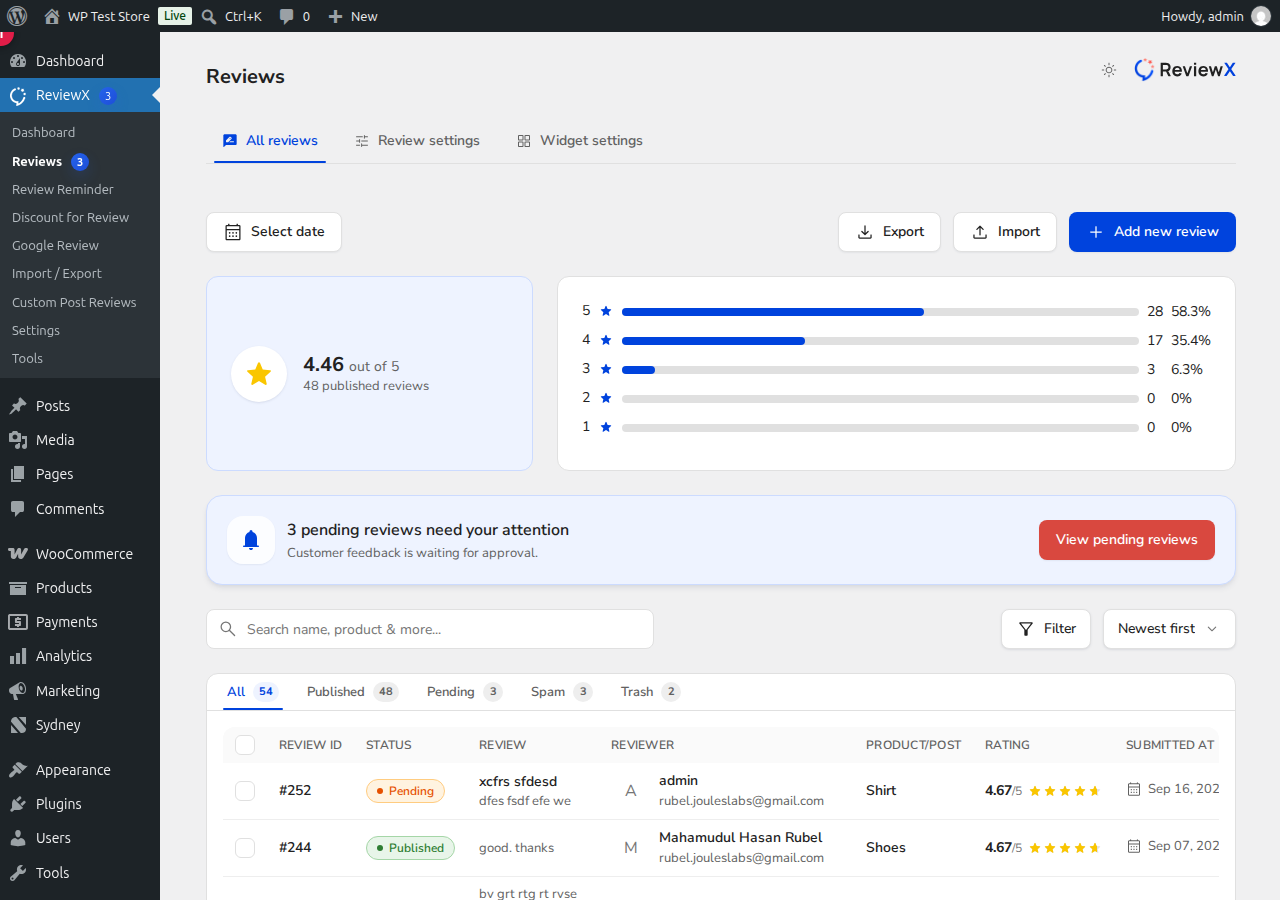
How to View Reviews for a Specific Product
- Navigate to ReviewX → Reviews in your WordPress admin menu.
- Ensure the All reviews tab is selected.
- Use the search bar [2] (placeholder: “Search by name, product and more…”) and type the product name or product SKU.
- The table instantly filters to display only reviews associated with that product.
- Review the status tabs (All, Published, Pending, Spam, Trash) to moderate reviews for that specific product.
Aggregated Feedback Overview
The metrics cards at the top [1] summarize total reviews, average rating scores, recommendations, and media attachments for the currently filtered view, giving you clear insights into product performance.


