


Rewarding verified customers with discount coupons is one of the most effective strategies to turn buyers into repeat customers while generating steady social proof. ReviewX’s Discount for Review engine automates coupon generation and delivery whenever customers submit reviews.
Thank you for reading this post, don't forget to subscribe!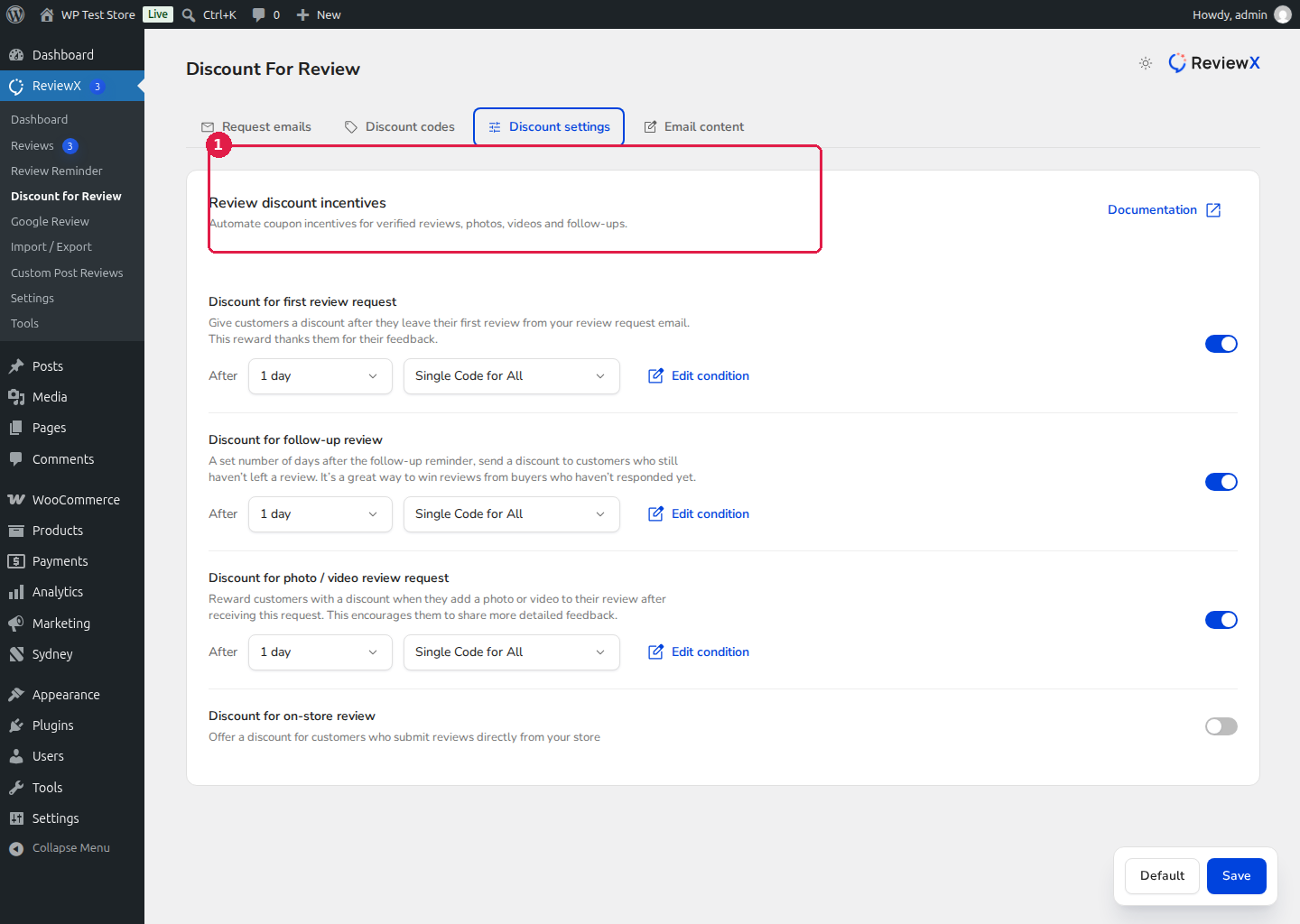
Four Review Incentive Triggers
ReviewX allows you to configure personalized coupons across four distinct touchpoints:
- First Review Request Discount: Included in the primary review reminder email sent after order completion to encourage immediate feedback.
- Follow-Up Review Request Discount: Sent in follow-up reminders to re-engage buyers who haven’t yet reviewed their items.
- Photo Review Bonus Discount: Offers a higher discount incentive (e.g. 20% instead of 10%) specifically for reviews that include verified customer photos or videos.
- On-Store Review Discount: Instantly displays or emails a coupon code when shoppers submit a review directly on the storefront product page.
Step-by-Step Configuration
- In your WordPress admin menu, navigate to ReviewX → Discount for Review.
- Under the All Discount tab, select which trigger trigger you wish to activate (e.g. Photo Review Request).
- Toggle the switch to ON.
- Configure coupon parameters:
- Discount Type: Choose Percentage discount (e.g. 15%) or Fixed cart discount (e.g. $10).
- Coupon Expiry: Set the number of days before the coupon expires (e.g. 30 days) to create buying urgency.
- Minimum Spend: (Optional) Require a minimum cart total before the discount applies.
- Individual Use Only: Prevent customers from stacking this coupon with other store sales.
- Click Save to activate the discount trigger.
Managing Generated Coupons
Navigate to the Coupon Codes tab to view a centralized registry of all dynamically generated WooCommerce coupons, their assigned customer emails, and redemption statuses.


