


While ReviewX Cloud provides high-deliverability transactional email delivery, you can also connect your own custom SMTP mail server to send automated review reminders and discount incentive emails directly through your company domain.
Thank you for reading this post, don't forget to subscribe!Step 1: Open SMTP Settings
From your WordPress admin panel, go to ReviewX → Settings and click on the SMTP tab.
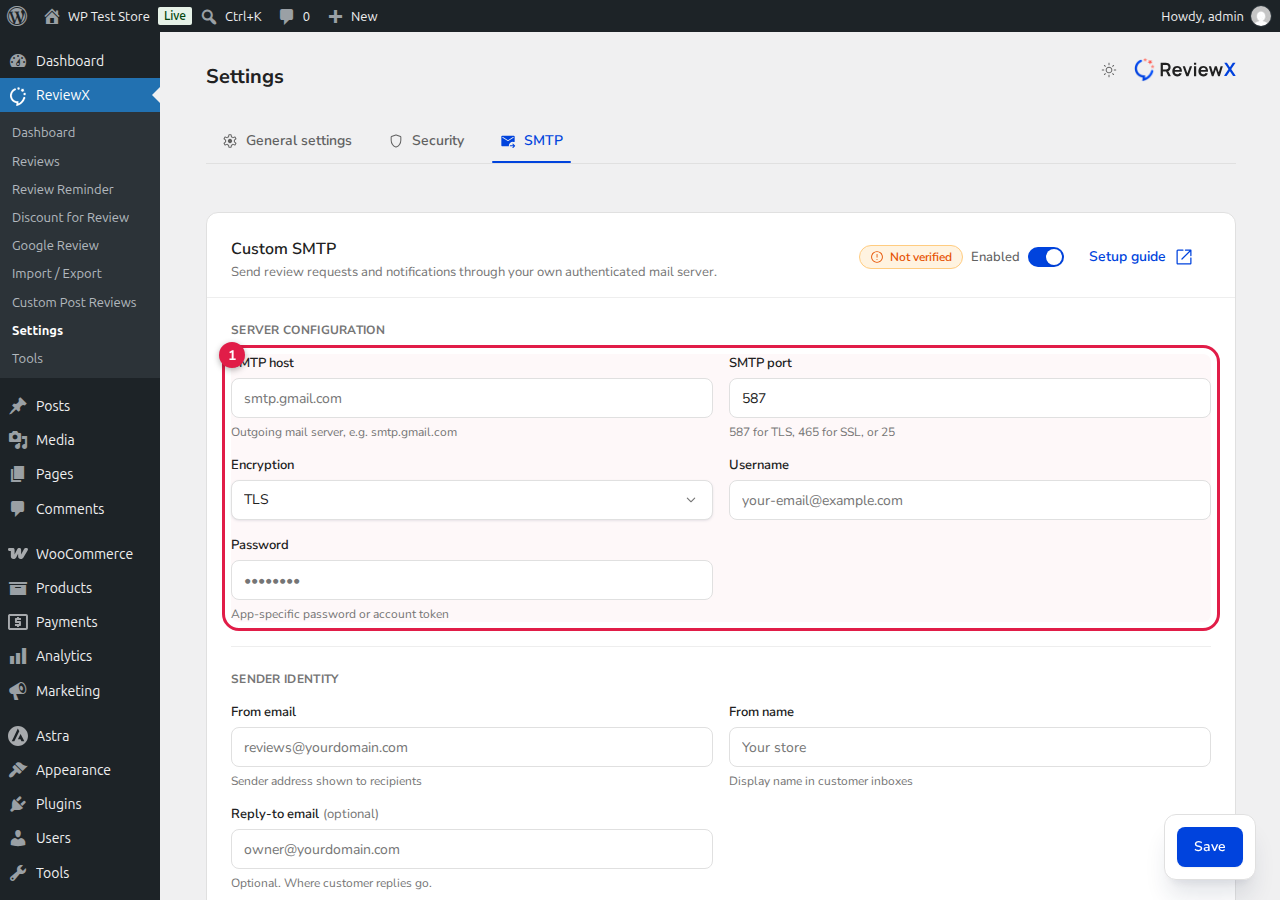
Step 2: Configure Mail Server Parameters
Fill in your SMTP credentials:
- Host: Enter your mail server hostname (e.g.,
smtp.gmail.comorsmtp.mailgun.org). - Port & Encryption: Select your port (usually
587for TLS or465for SSL). - Authentication: Provide your SMTP username and password.
- Sender Details: Enter the From email, From name, and Reply-to email matching your verified business domain.
Step 3: Test and Save Connection
Click Test connection to send a verification ping. Once verified, click Save. All outgoing review reminders and discount emails will route through your custom mail server.


