


The [rvx-review-list] shortcode renders ReviewX’s complete, interactive customer reviews list on any page or template across your WordPress site. Whether you want reviews on a custom product landing page, a theme builder template, or a dedicated customer feedback page, this shortcode provides full filtering, sorting, and review display functionality.
Shortcode Syntax
To display reviews for the current product on a single product template:
[rvx-review-list]To display reviews for a specific product or custom post type from anywhere on your site, supply the post_id parameter:
[rvx-review-list post_id="123"]What the Review List Component Displays
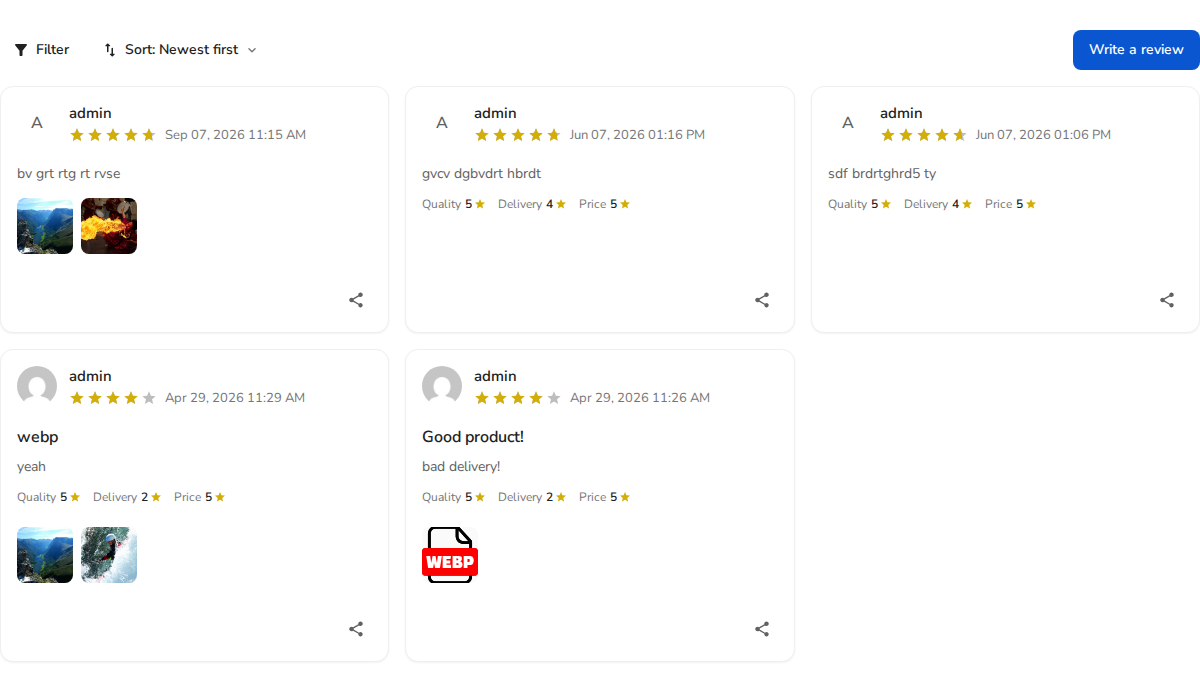
- Attachment & Rating Filters: Shoppers can filter reviews by media type (All, Photos, Videos) or click star rating tabs to read specific ratings.
- Sorting Controls: Interactive dropdown allowing customers to sort reviews by Newest, Highest Rating, or Lowest Rating.
- Detailed Review Cards: Includes reviewer name, verified buyer badge, recommendation indicator, submission date, star rating, multi-criteria breakdown scores, and detailed text comments.
- Photo & Video Lightbox: Clickable media attachments that open full-screen customer photos and videos.
- Helpful Voting & Social Sharing: Interactive like/dislike buttons and social sharing triggers per review.
Using the Gutenberg Block
If you build pages using the WordPress Block Editor (Gutenberg), you can also use the native ReviewX Review List block (reviewx/review-list) by clicking + and searching for “ReviewX Review List”. It exposes visual controls in the sidebar block inspector.


