


The review submission drawer is where customers interact directly with your brand. Tailoring form labels, prompt questions, placeholder text, and star rating descriptions to match your store’s tone of voice makes the submission experience natural, encouraging higher completion rates and richer qualitative feedback. ReviewX offers extensive options for customizing every customer-facing string across the review form.
Thank you for reading this post, don't forget to subscribe!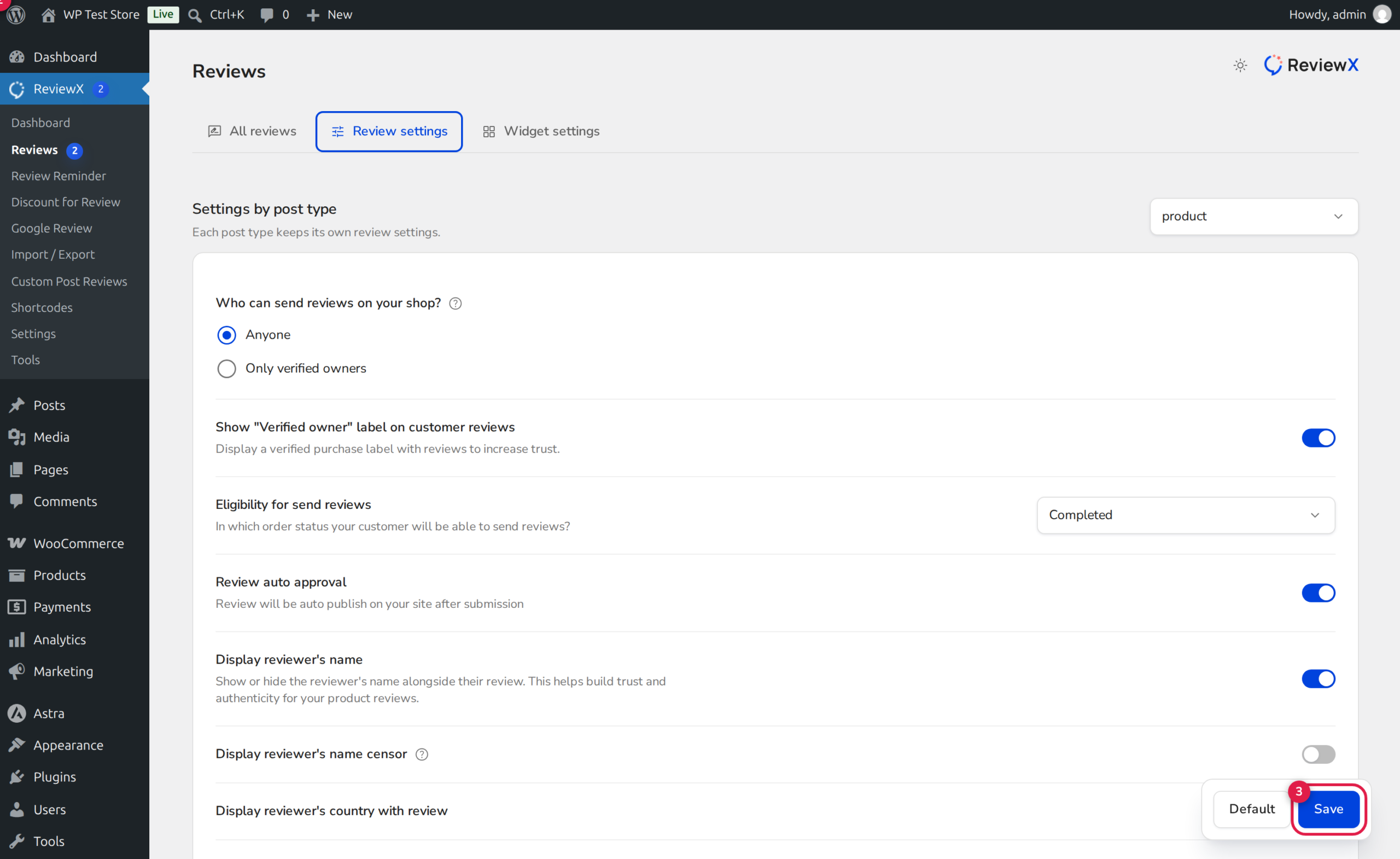
Customizable Form Components in ReviewX
The ReviewX submission modal incorporates several configurable sections:
- Review Title Field: Enable or disable headline prompts (e.g. “Give your review a title”) to encourage punchy customer summaries.
- Qualitative Feedback Area: Customize the placeholder prompt inside the feedback textarea (e.g. “What did you love or dislike about this item? How was the fit?”).
- Customer Recommendation Prompt: Activate a binary recommendation question (Badge 2: “Would you recommend this product?”) to capture net promoter sentiment.
- Photo & Video Upload Prompts: Configure drag-and-drop guidelines (Badge 1), file size limits, and allowed file formats (JPEG, PNG, MP4, WebM).
- Star Rating Scale Descriptions: Hover labels dynamically guide shoppers through 1 to 5 star ratings.
Configuring Form Fields Step-by-Step
Step 1: Open Review Settings
From your WordPress dashboard, navigate to ReviewX → Reviews and click on the Review settings tab.
Step 2: Configure Submission Options
Adjust the active form elements according to your catalog requirements:
- Toggle Allow photo review (Badge 1) to accept visual customer proof.
- Toggle Recommendation? (Badge 2) to display the recommendation toggle button.
- Toggle Review auto approval to publish submissions immediately or route them to moderation.
Step 3: Save and Apply
Click the Save button (Badge 3) at the bottom of the page. Your customized form settings apply immediately across all product pages.
Customizing Dynamic Text & Star Labels via Filters
ReviewX exposes standard WordPress filter hooks that allow developers to programmatically customize form labels, placeholders, and error messages without editing core plugin files:
add_filter('reviewx_storefront_config', function($config) {
    // Custom star rating descriptors
    $config['i18n']['rating_1'] = __('Needs Work', 'my-theme');
    $config['i18n']['rating_2'] = __('Below Average', 'my-theme');
    $config['i18n']['rating_3'] = __('Average', 'my-theme');
    $config['i18n']['rating_4'] = __('Great Choice', 'my-theme');
    $config['i18n']['rating_5'] = __('Absolute Perfection!', 'my-theme');

    // Custom upload prompt
    $config['i18n']['upload_photo_video'] = __('Snap a photo or video to earn reward points!', 'my-theme');

    return $config;
});


