


Duplicate reviews can occur when shoppers click “Submit” multiple times on slow connections, when historical CSV files are imported more than once, or during multi-system database migrations. ReviewX includes a dedicated Duplicate Review Cleanup utility to scan, identify, and eliminate duplicate entries safely.
Thank you for reading this post, don't forget to subscribe!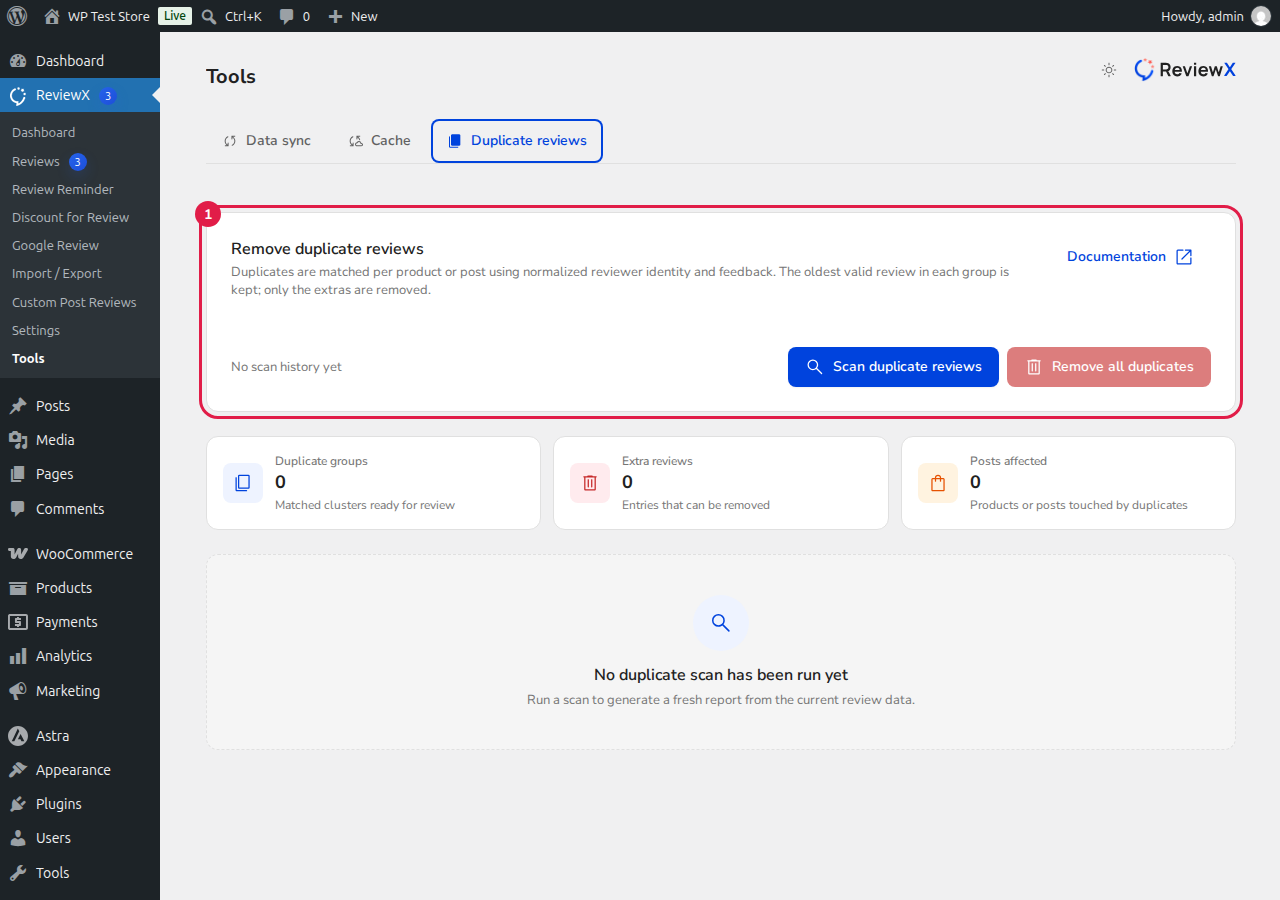
How ReviewX Identifies Duplicates
The cleanup scanner analyzes all reviews across your database matching four key identifiers:
- Target Product ID: Reviews assigned to the identical WooCommerce product or custom post type.
- Customer Email / Name: Submissions from the same reviewer identity.
- Review Content & Rating: Exact or near-identical review feedback and star scores.
- Submission Timestamp: Entries submitted within seconds of each other.
Step-by-Step Cleanup Process
- In your WordPress admin dashboard, navigate to ReviewX → Tools.
- Click the Duplicate Review Cleanup tab.
- The scanner displays the total count of identified duplicate review groups.
- Click Clean Duplicates.
- ReviewX will retain the earliest authentic review and permanently remove the redundant duplicates, automatically recalculating average product rating scores and updating ReviewX Cloud.
- After the cleanup finishes, visit Tools → Cache Management and click Clear Cache to ensure all storefront product counters reflect the cleaned data.
Safety Guarantee
ReviewX never deletes original customer feedback during cleanup — the scanner operates with strict deduplication logic that always preserves the original review (earliest ID) while safely eliminating only identical clones.


