


Store owners frequently receive valuable customer praise through offline channels—such as email messages, phone consultations, trade show interactions, or direct WhatsApp messages. In ReviewX, you don’t need to submit testimonials through front-facing website forms or manipulate database tables. The built-in Manual Review Creator lets administrators log customer reviews directly from the WordPress control panel with complete control over reviewer identity, multi-criteria scores, and verification status.
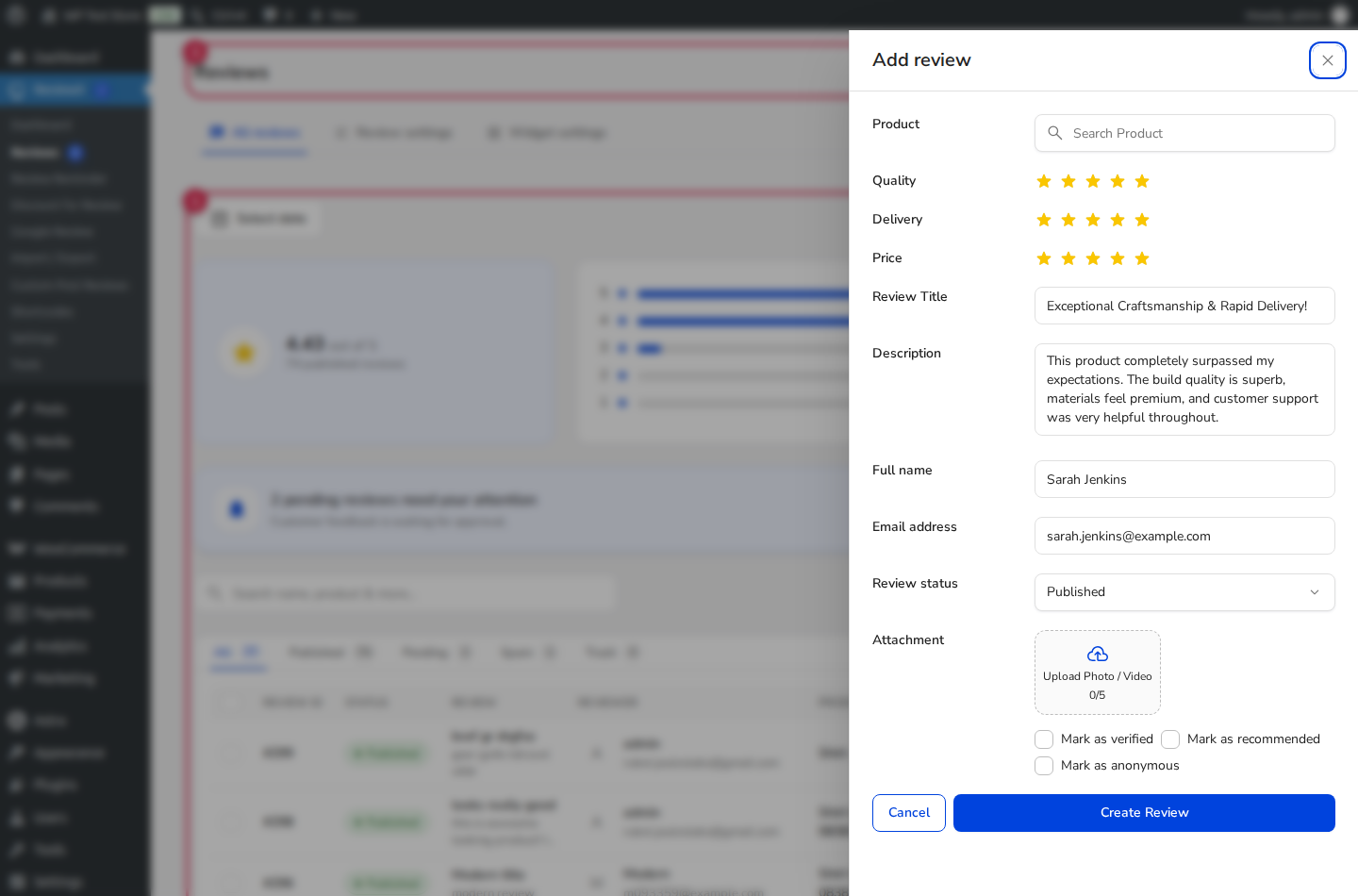
Omnichannel Testimonial Ingestion
Adding offline reviews to ReviewX ensures your aggregate star ratings accurately reflect total brand satisfaction, while giving potential buyers comprehensive social proof on single product pages.
Step-by-Step: Adding a Customer Review in wp-admin
- Navigate to
wp-admin → ReviewX → Reviews(admin.php?page=reviewx_reviews). - In the top action bar, click the primary Add new review button. This opens the dedicated review submission side drawer.
- Select the target WooCommerce product using the search-enabled dropdown.
- Fill in the customer information and rating scores (marked with Badge 1):
- Reviewer Name: Enter the full or first name of the customer (e.g. Sarah Jenkins).
- Reviewer Email: Input their valid email address. This ensures customer avatar Gravatar fetching and prevents duplicate review collisions.
- Overall Rating: Select the star score from 1 to 5.
- Multi-Criteria Scores: If multi-criteria reviews are enabled, rate individual dimensions such as Quality, Comfort, Value, or Design.
- Review Title: Provide a concise, engaging summary headline.
- Feedback Body: Paste the full customer feedback commentary.
- Configure moderation and trust credentials (marked with Badge 2):
- Verified Purchaser: Toggle this switch to ON to display the official green verified buyer badge beside their name.
- Status: Choose Published to display the review on your storefront immediately, or Pending if you require additional internal review.
- Click Save Review. ReviewX updates the local database, notifies the SaaS cloud sync layer, and updates the storefront rating average.
Manual Review Ingestion Best Practices
| Field | Recommendation | Compliance & Trust Value |
|---|---|---|
| Reviewer Email | Always use the customer’s real email address. | Complies with FTC disclosure rules regarding authentic customer representation. |
| Multi-Criteria Ratings | Provide varied scores (e.g. 5 for Quality, 4 for Pricing). | Nuanced ratings look dramatically more authentic to browsing shoppers than uniform 5-star ratings. |
| Media Uploads | Attach authentic photos provided by the client. | Customer photos increase conversion rates by up to 28% compared to plain text reviews. |


