


When automated review reminders or discount incentives are sent to customers, understanding exactly what they experience upon clicking the email link is key to maximizing conversion rates and feedback volume.
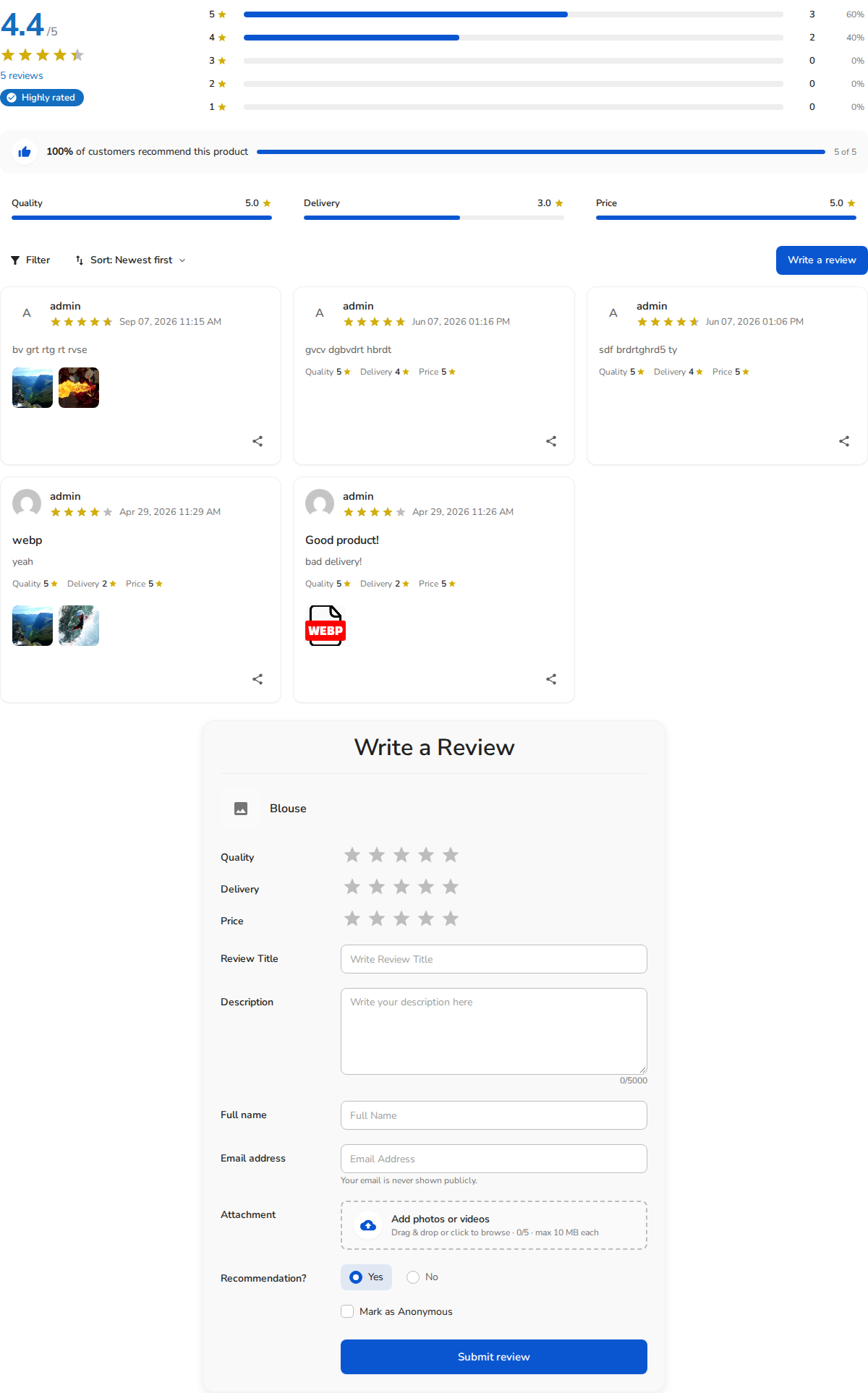
The Customer Landing Experience
When a buyer clicks the review link in their email invitation:
- Direct Navigation: The link directs the customer straight to the purchased product page on your store, automatically opening and scrolling down to the Reviews section.
- Interactive Review Summary: The customer sees the store’s aggregate score (e.g., 4.4 / 5), interactive star breakdown bars, recommendation statistics (100% of customers recommend this product), and criteria scores (Quality, Delivery, Price).
- Streamlined “Write a Review” Form: The review submission modal or inline card is activated immediately:
- Multi-Criteria Rating: Customers rate specific product attributes using 1-to-5 star selectors.
- Review Title & Feedback: Dedicated fields allow for a headline summary and detailed written thoughts (up to 5,000 characters).
- Drag-and-Drop Media: Buyers can easily attach photos or unboxing videos (up to 10MB each).
- Recommendation: An intuitive Yes / No toggle captures whether they suggest the item to others.
- Privacy: An optional “Mark as Anonymous” checkbox lets them mask their identity publicly while preserving verified buyer status behind the scenes.
- Instant Coupon Reward: If you have Discount for Review enabled, submitting the review triggers an instant reward confirmation displaying their coupon code on-screen and sending a copy to their email.


