


Displaying product reviews effectively ensures that your store loads quickly while providing visitors with social proof. In ReviewX, you can customize exactly how many reviews are shown per page across all review widgets and lists.
Step 1: Open Review Settings
From your WordPress dashboard, navigate to ReviewX → Reviews, then click on the Review settings tab at the top of the interface.
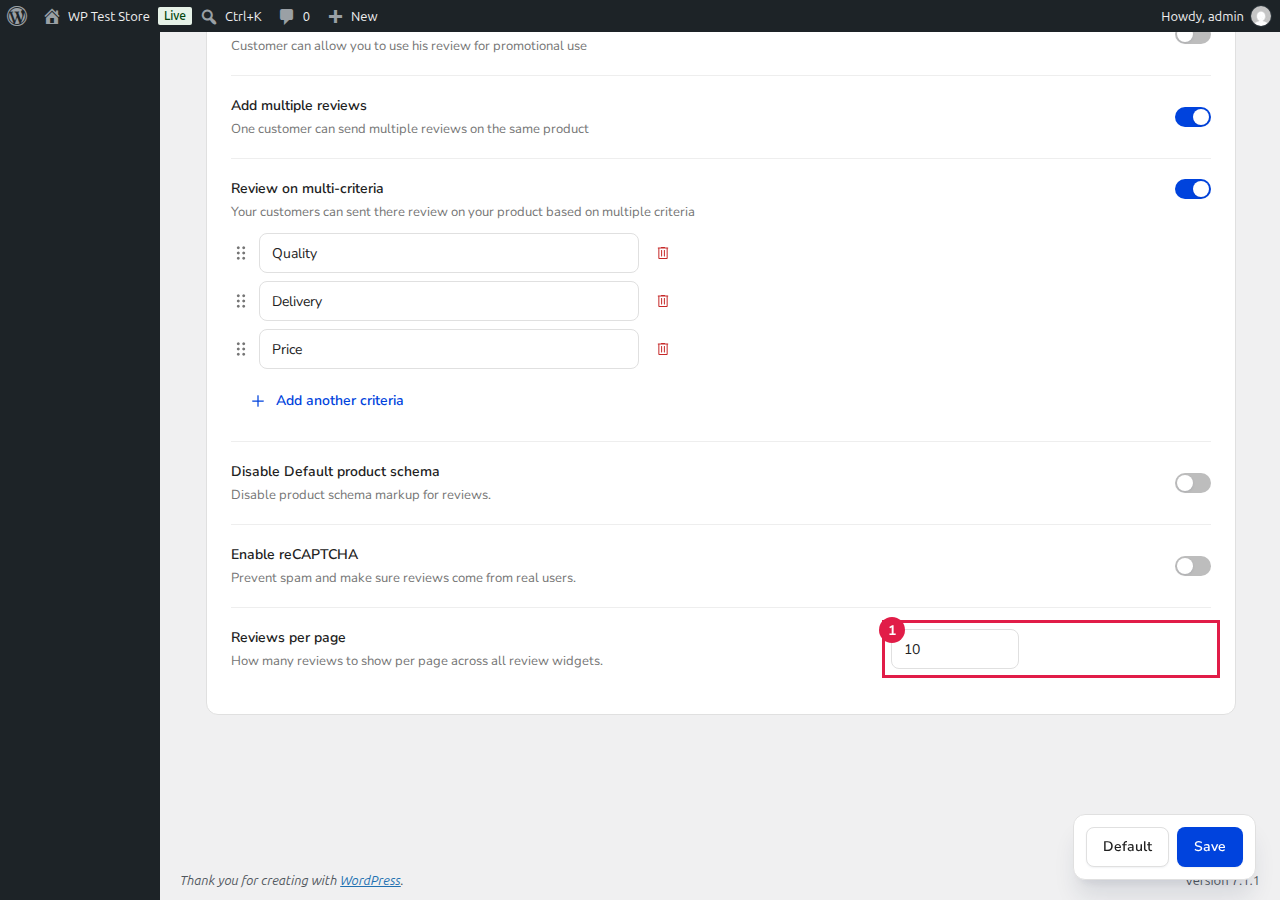
Step 2: Configure Reviews Per Page
Scroll down to the Reviews per page option marked with [1]. Enter the desired number of reviews you want to display on each page (e.g., 10, 15, or 20).
Step 3: Save Your Settings
Click the blue Save button at the bottom right corner of the page. Your review widgets on single product pages and custom post types will immediately reflect the updated pagination limit.
Tip: If you are using extensive caching, navigate to ReviewX → Tools → Cache and clear the Shortcode cache or Product review cache to see the pagination updates immediately on your storefront.


