


ReviewX provides eight dedicated native Gutenberg blocks, allowing you to design custom review sections directly inside the WordPress Block Editor without memorizing shortcodes.
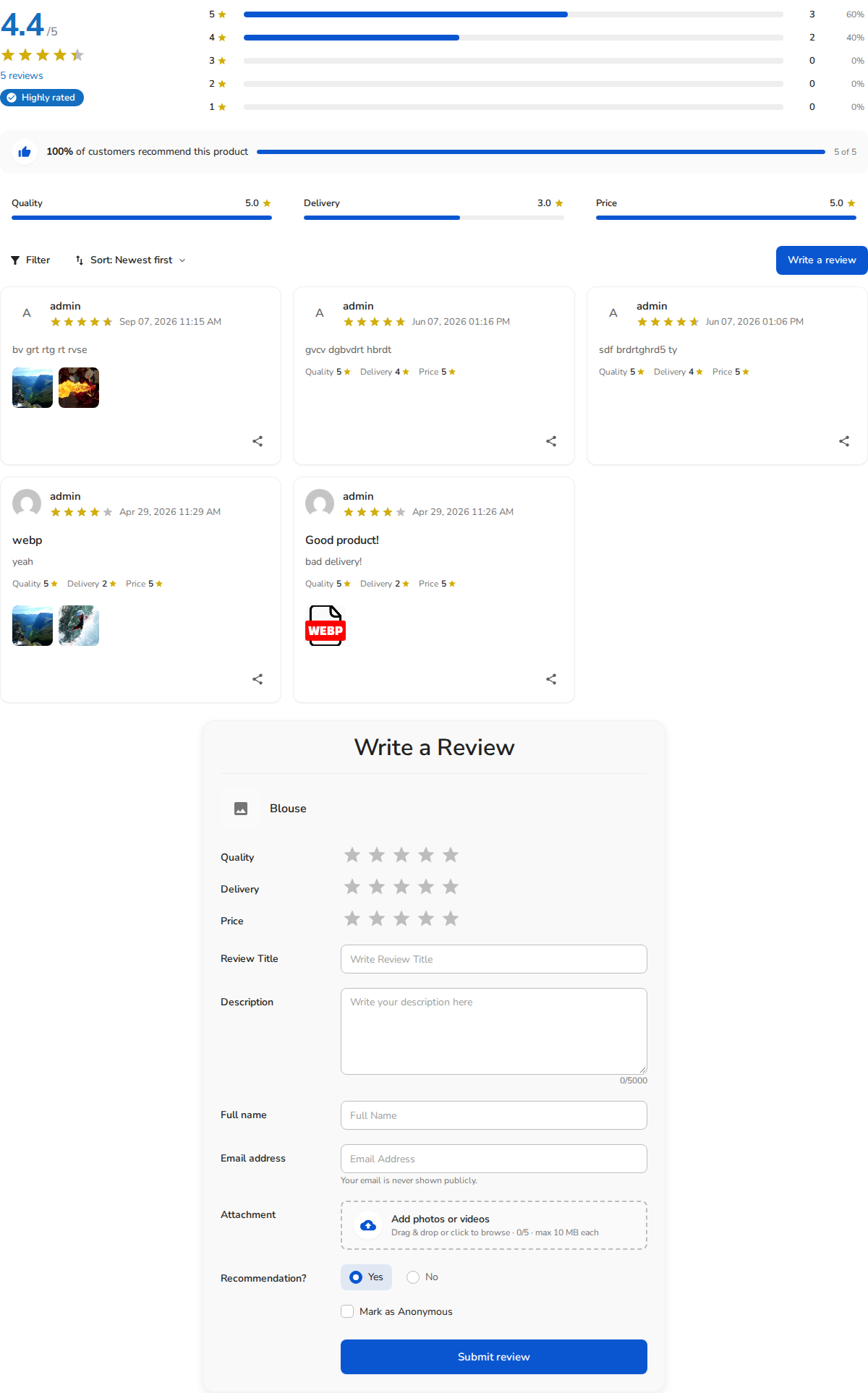
Available ReviewX Blocks
In the WordPress Block Inserter (under the Widgets category or searching for “ReviewX”), you will find:
- ReviewX Review List (
reviewx/review-list): Displays the customer review feed with optional filter and sort controls. - ReviewX Review Form & List (
reviewx/review-form): Displays the complete review suite — submission form, breakdown graph, and feedback list. - ReviewX Criteria Graph (
reviewx/criteria-graph): Showcases visual performance bars for multi-criteria ratings (Quality, Delivery, Price). - ReviewX Rating Summary (
reviewx/summary): Renders the bold aggregate score and star rating badge. - ReviewX Review Statistics (
reviewx/stats): Displays the 5-star to 1-star distribution bar chart. - ReviewX Star Rating Count (
reviewx/star-count): Compact star rating and review count badge perfect for headers and hero sections. - ReviewX Google Reviews (
reviewx/google-reviews): Embeds Google Business reviews in a responsive grid. - ReviewX Selected Reviews (
reviewx/reviews-with-ids): Highlights specific curated reviews by entering their comma-separated IDs.


