


Automating discount rewards in exchange for product reviews dramatically boosts submission volume and fosters repeat purchases. ReviewX features a comprehensive discount automation engine under ReviewX → Discount for Review.
Thank you for reading this post, don't forget to subscribe!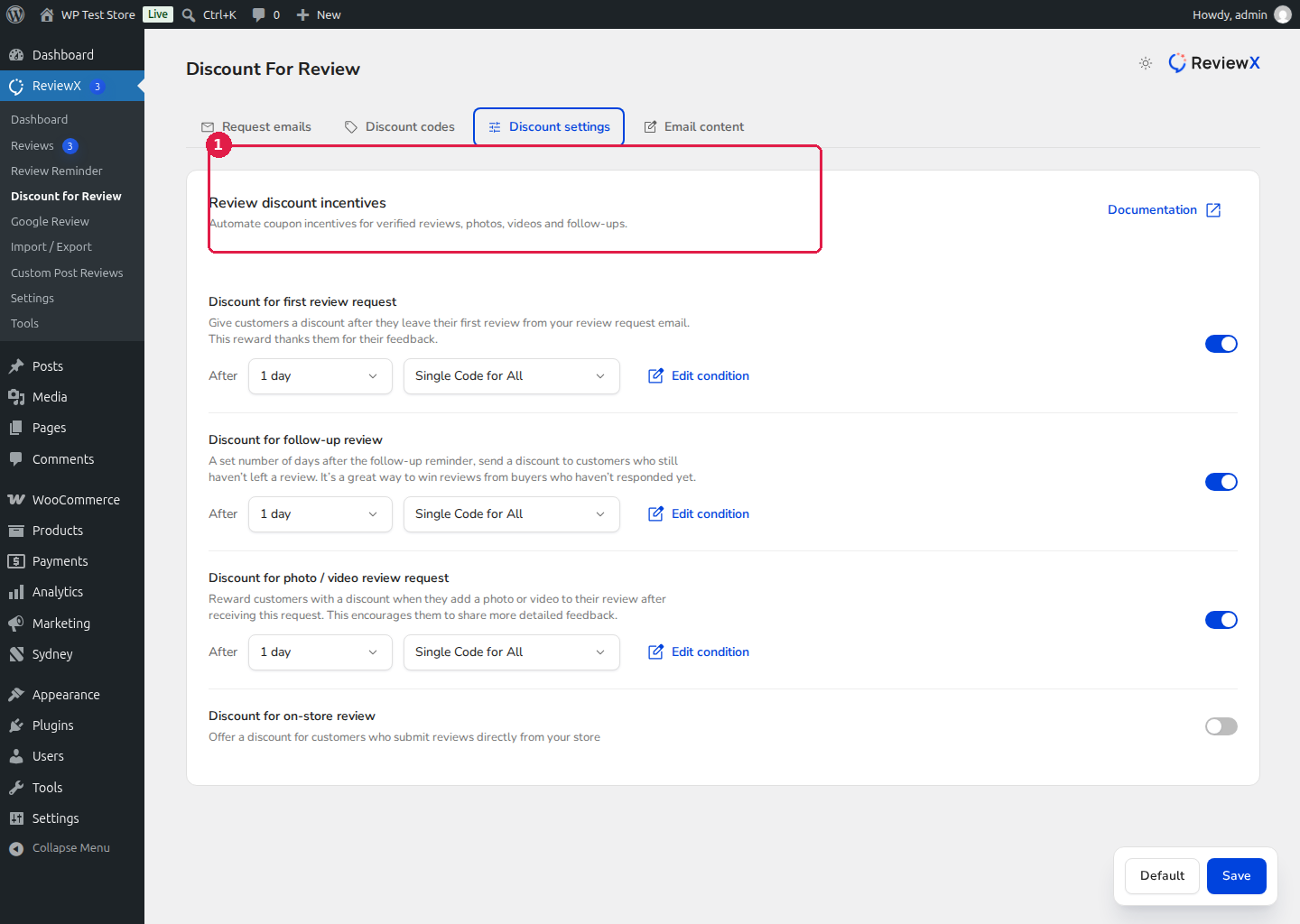
How to Configure Review Discounts
- Navigate to ReviewX → Discount for Review in your WordPress dashboard.
- Click on the Discount settings tab [1].
- ReviewX supports multiple automated reward triggers:
- Discount for first review request: Rewards customers immediately after submitting their first review.
- Discount for follow-up review: Introduces a coupon incentive in follow-up reminders to recover unsubmitted feedback.
- Discount for photo / video review request: Offers a higher discount tier to incentivize media uploads.
- Discount for on-store review: Rewards customers who review directly from product pages.
- Select between Single Code for All (a global coupon) or Unique Code (single-use personal coupons).
- Click Save to activate your automated incentives.


