


If your WooCommerce store features detailed product specifications, ingredients, or dimensions, embedding the full review list inline may stretch the page excessively. A clean alternative is placing ReviewX inside Divi’s native Tabs module, creating an organized “Reviews” tab alongside Description and Specifications.
Thank you for reading this post, don't forget to subscribe!This guide explains how to construct a high-converting tabbed review section in Divi.
Step 1: Open Your Divi Product Template
- In wp-admin, navigate to Divi → Theme Builder.
- Edit your Single Product template with Divi Builder.
Step 2: Add or Edit the Divi Tabs Module
- Insert a Tabs module into your desired section.
- Add a new tab by clicking the + icon.
- In the Title field, enter “Reviews” or “Customer Ratings”.
- In the Body text area, switch to the Text tab (HTML mode) and insert the ReviewX shortcode:
[rvx-woo-reviews]
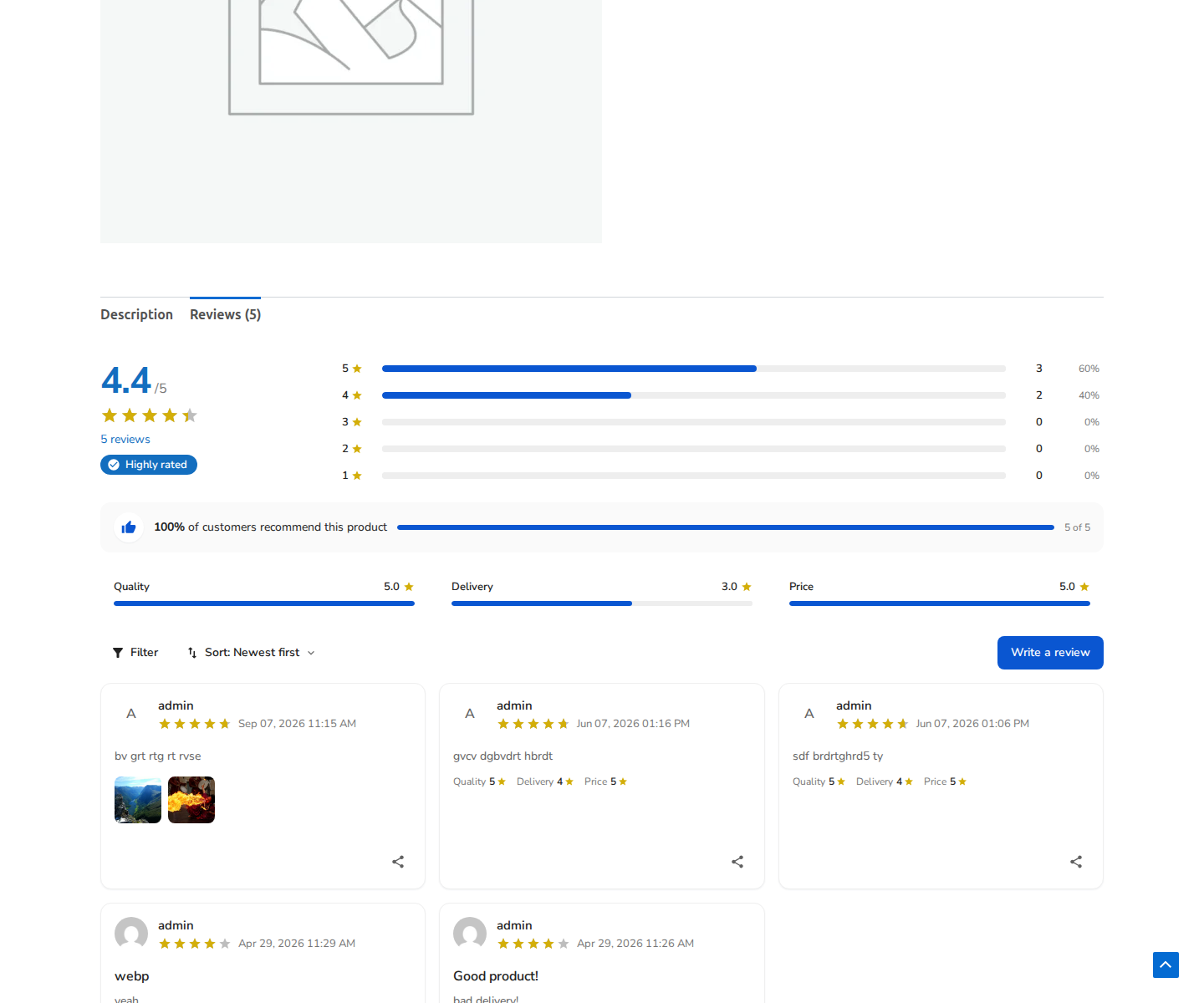
Figure 1: ReviewX social proof and rating bars enclosed inside a clean product tab interface.
Step 3: Styling the Tab in Divi
Under the Design tab in Divi’s Tabs module settings:
- Tab Active Color: Set your brand accent color for the currently selected tab.
- Tab Background: Choose a clean neutral background (e.g.
#f8fafc) for inactive tabs. - Tab Typography: Customize font family, text size, and uppercase transformation to match your theme.
Step 4: Save & Verify
- Save the Tabs module and exit the Divi Builder.
- Confirm that the Theme Builder template changes are saved.
- Open a product on your storefront and click the “Reviews” tab to verify that the criteria graph, review cards, and pagination load smoothly.


