


Publicly responding to customer reviews is one of the most effective ways to build shopper trust, showcase exceptional customer service, and turn casual buyers into lifelong brand advocates. When prospective customers see a store owner actively thanking shoppers for positive feedback and constructively resolving customer concerns, their purchase confidence skyrockets.
Thank you for reading this post, don't forget to subscribe!ReviewX includes a built-in Admin Reply system that enables store managers to respond directly to customer reviews from the WordPress administrative dashboard. Merchant replies are automatically formatted, badged with verified staff credentials, and displayed indented beneath the original customer review on the storefront.
The Merchant Reply Advantage
E-commerce research shows that over 89% of consumers read business responses to customer reviews. Stores that actively respond to customer feedback see an average 16% increase in customer retention and conversion rates, as buyers perceive responsive brands as reliable and trustworthy.
How the Admin Reply System Works in ReviewX
ReviewX integrates natively with WordPress and WooCommerce comment structures while adding professional e-commerce enhancements:
- Native WordPress Architecture: When you submit a reply via ReviewX, it is stored in the WordPress
wp_commentstable as a child comment (comment_parent = {review_id}) associated with your authenticated administrator account. - Staff Badge & Avatar: On the storefront, the response is visually styled with a distinctive “Store Owner” or “Admin” badge, accompanied by your custom store logo or author avatar.
- Email Notifications: If customer notifications are enabled, the reviewer automatically receives an email notification alerting them that the store owner has personally addressed their review.
- Full Moderation Control: Store administrators can edit, update, or remove previous replies at any time directly from the dashboard.
Step-by-Step Guide: Adding an Admin Reply
Step 1: Open the Manage Reviews Dashboard
From your WordPress administrative menu, navigate to ReviewX → Reviews. Here you will see a comprehensive table of all customer reviews submitted across your store (marked with Badge 1 in the screenshot above).
Step 2: Locate the Customer Review
Browse or search for the specific review you wish to address. In the right-hand column under Actions, click the Reply button (represented by an arrow/chat bubble icon, highlighted with Badge 2).
Step 3: Compose Your Response
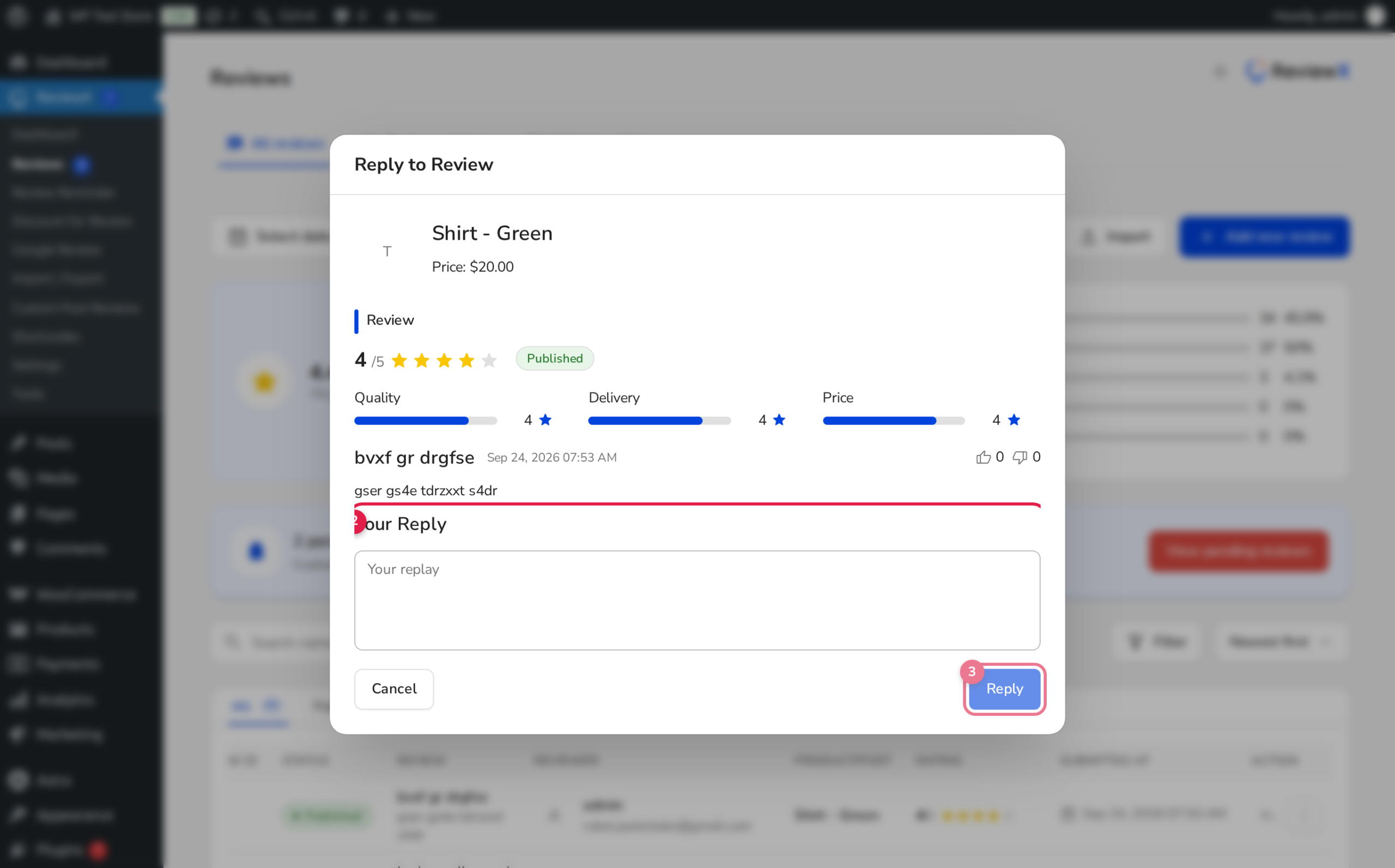
Clicking the Reply button immediately launches the Review Reply Modal (Badge 3). Inside the modal textarea, craft a professional, helpful, and courteous response:
- For 5-Star Reviews: Express genuine gratitude, acknowledge specific product features mentioned, and invite them back.
- For Critical or 1-to-3 Star Reviews: Empathize with their issue, avoid defensive language, explain troubleshooting steps, and provide direct support contact details (e.g., support email or phone number).
Step 4: Publish Your Reply
Once your message is ready, click the Submit button (Badge 4). The modal will close, the table will refresh, and your reply will immediately become visible to shoppers on your product page.
Best Practices for Responding to Customer Reviews
| Review Scenario | Recommended Tone | Key Elements to Include |
|---|---|---|
| 5-Star Enthusiastic Praise | Warm, appreciative, brand-aligned | Thank by name, highlight shared passion, invite to loyalty program or newsletter. |
| Constructive Feedback (3-4 Stars) | Attentive, receptive, proactive | Acknowledge suggestions, explain how future batches or updates will incorporate feedback. |
| Dissatisfied Customer (1-2 Stars) | Empathetic, apologetic, solution-oriented | Validate frustration, explain store return/replacement guarantee, take conversation to private support channel. |
Editing or Deleting an Existing Admin Reply
If you ever need to revise a reply or remove outdated information:
- Navigate back to ReviewX → Reviews.
- Click on the review to open the Review Details drawer.
- In the reply section, modify the text or click Delete Reply to remove it from the storefront.
Frequently Asked Questions
Can non-administrator users reply to reviews?
Only WordPress users with administrative or shop manager roles (capabilities that include manage_woocommerce and moderate_comments) can post official admin replies.
Does the admin reply notify the original reviewer?
Yes, if review notification emails are active in ReviewX settings, the reviewer will receive an automated email letting them know the store owner responded to their review.
Can I add a custom brand logo next to my replies?
Yes. ReviewX allows you to upload a dedicated Shop icon under ReviewX → Settings → General Settings to replace generic Gravatars with your official store logo.


