


Some shoppers love leaving thorough product feedback but prefer not to display their full personal name publicly — particularly in health, wellness, personal care, or gifting niches. ReviewX supports anonymous review submissions to maximize your response rates without sacrificing reviewer comfort.
Thank you for reading this post, don't forget to subscribe!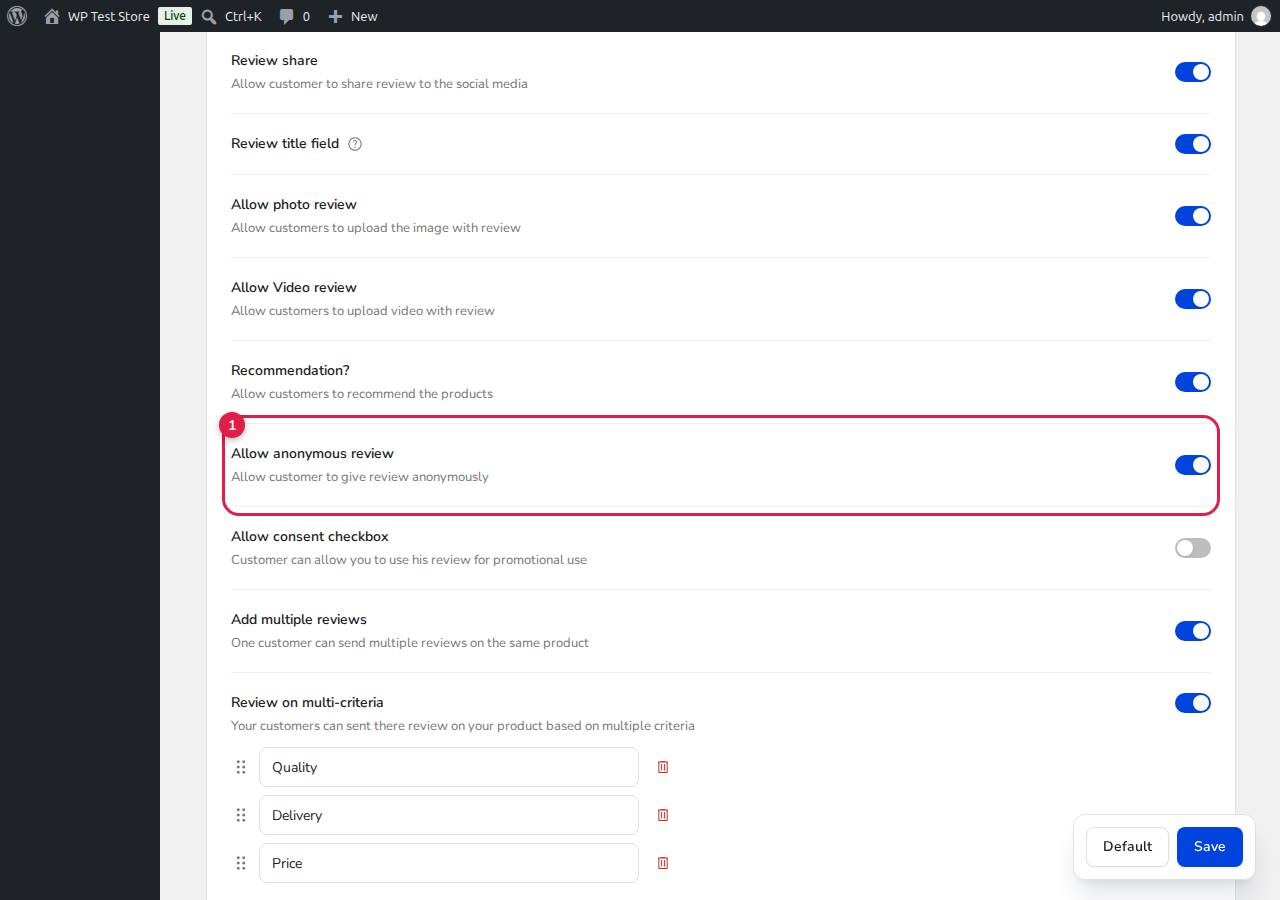
How to Allow Anonymous Reviews
- Go to ReviewX → Reviews → Review settings.
- Scroll down to the Allow anonymous review option [1].
- Toggle the switch On.
- Click Save to confirm your selection.
Customer Experience and Privacy
When this feature is enabled:
- The frontend review submission form includes an optional checkbox allowing the customer to submit anonymously.
- On the public storefront, the reviewer’s name is masked (e.g., displayed as Anonymous or an abbreviated initial), protecting customer privacy.
- In your WordPress admin dashboard (ReviewX → Reviews → All reviews), store administrators can still view the underlying customer email and order ID to verify authentic purchase history.


