


When migrating reviews from third-party platforms, importing multi-vendor CSV spreadsheets, or running automated storefront testing, duplicate reviews and orphaned comment entries can accumulate in your WordPress database. Redundant reviews distort product aggregate rating statistics, confuse potential buyers, and violate Google Rich Snippets structured data guidelines. ReviewX features a native Duplicate Review Cleanup Scanner in wp-admin to detect and resolve duplicate records automatically.
Preserve Primary Customer Testimonials
The cleanup scanner groups duplicates by matching author email, comment content, and product ID. It retains the original, verified primary review while safely purging redundant duplicates without data loss.
Step-by-Step: Scanning and Removing Duplicate Reviews
- Navigate to
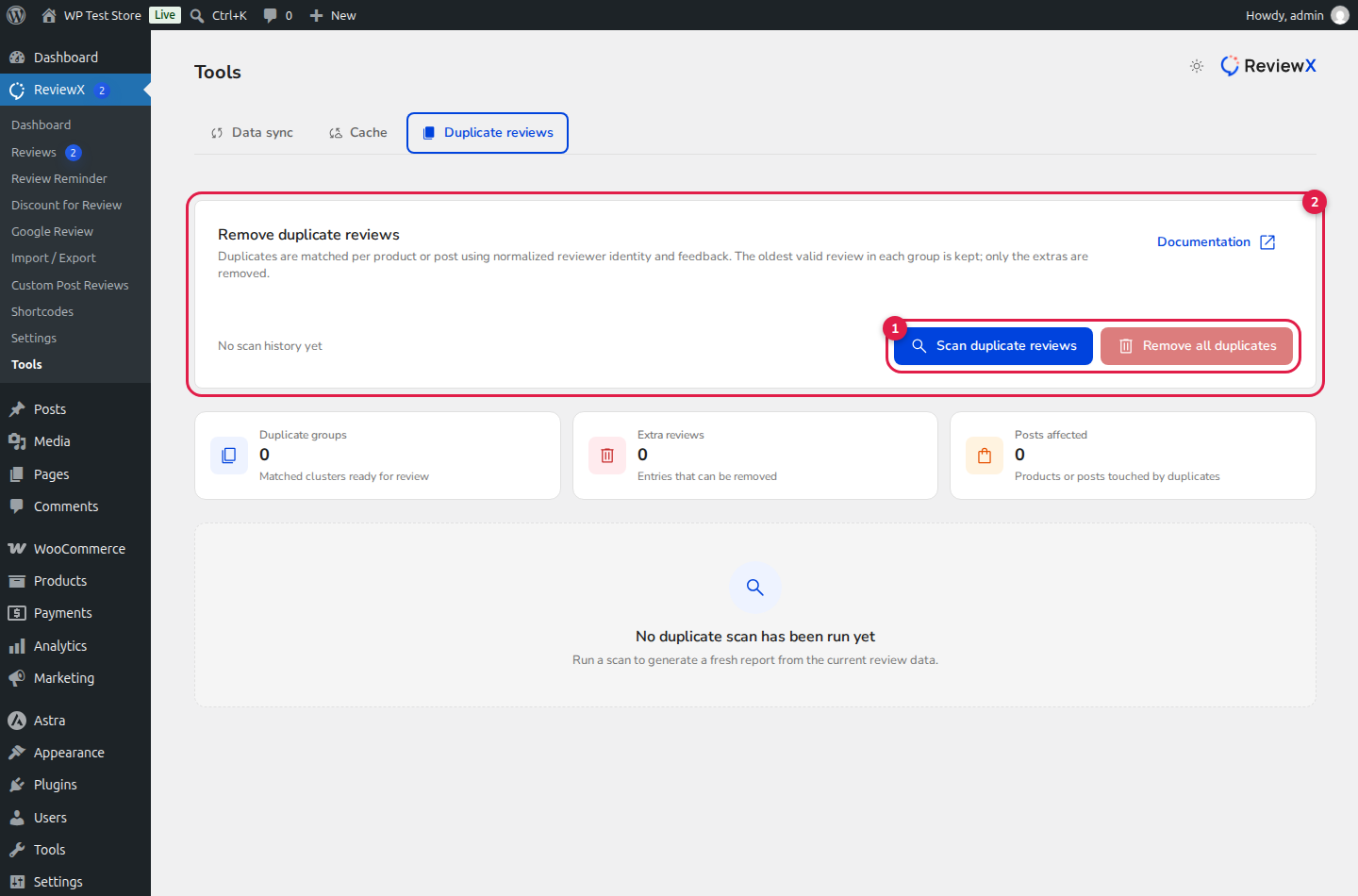
wp-admin → ReviewX → Tools(admin.php?page=reviewx_tools). - Click on the Duplicate reviews tab at the top of the interface.
- Click the Scan duplicate reviews button (marked with Badge 1) to analyze your store database.
- Review the diagnostic metrics:
- Scanned Posts: Total number of WooCommerce products, pages, and custom post types analyzed.
- Duplicate Groups: Number of clusters containing identical or redundant reviews.
- Cleanable Reviews: Exact count of redundant review entries eligible for immediate removal.
- Inspect the detected duplicate groups table (marked with Badge 2):
- Post Title: The target WooCommerce product.
- Reviewer: The customer author name and email.
- Feedback Preview: Excerpt of the review body text.
- Keep Review: The primary original review ID that will be preserved.
- Click Remove duplicates to purge redundant records and recalculate product rating averages.
Preventing Future Duplicate Review Issues
| Preventative Setting | Location in ReviewX | Protective Action |
|---|---|---|
| Single Review Per Customer | ReviewX → Reviews → Review settings |
Disable Multiple reviews per customer so buyers can submit only one review per item. |
| Verified Purchasers Only | ReviewX → Reviews → Review settings |
Restrict submission to verified buyers who purchased the product in completed orders. |
| Cloud Data Sync | ReviewX → Tools → Data sync |
Trigger a manual sync after bulk imports to ensure WordPress and ReviewX SaaS caches remain aligned. |


