


With WordPress Full Site Editing (FSE) and the modern block editor (Gutenberg), store owners can build engaging landing pages and dynamic single product templates without touching code. Embedding authentic social proof—such as product rating breakdowns, customer photo galleries, and testimonial feeds—directly within your Gutenberg layouts increases time-on-page and drives conversions. ReviewX seamlessly integrates with Gutenberg through its official Shortcodes & Live Preview Engine.
Seamless Block Editor Compatibility
ReviewX widgets render with responsive container queries and native WordPress styling, ensuring your reviews look pixel-perfect across standard desktop monitors, tablets, and mobile devices.
Step-by-Step Guide: Embedding ReviewX in Gutenberg
Step 1: Configure Your Review Layout in the Shortcodes Center
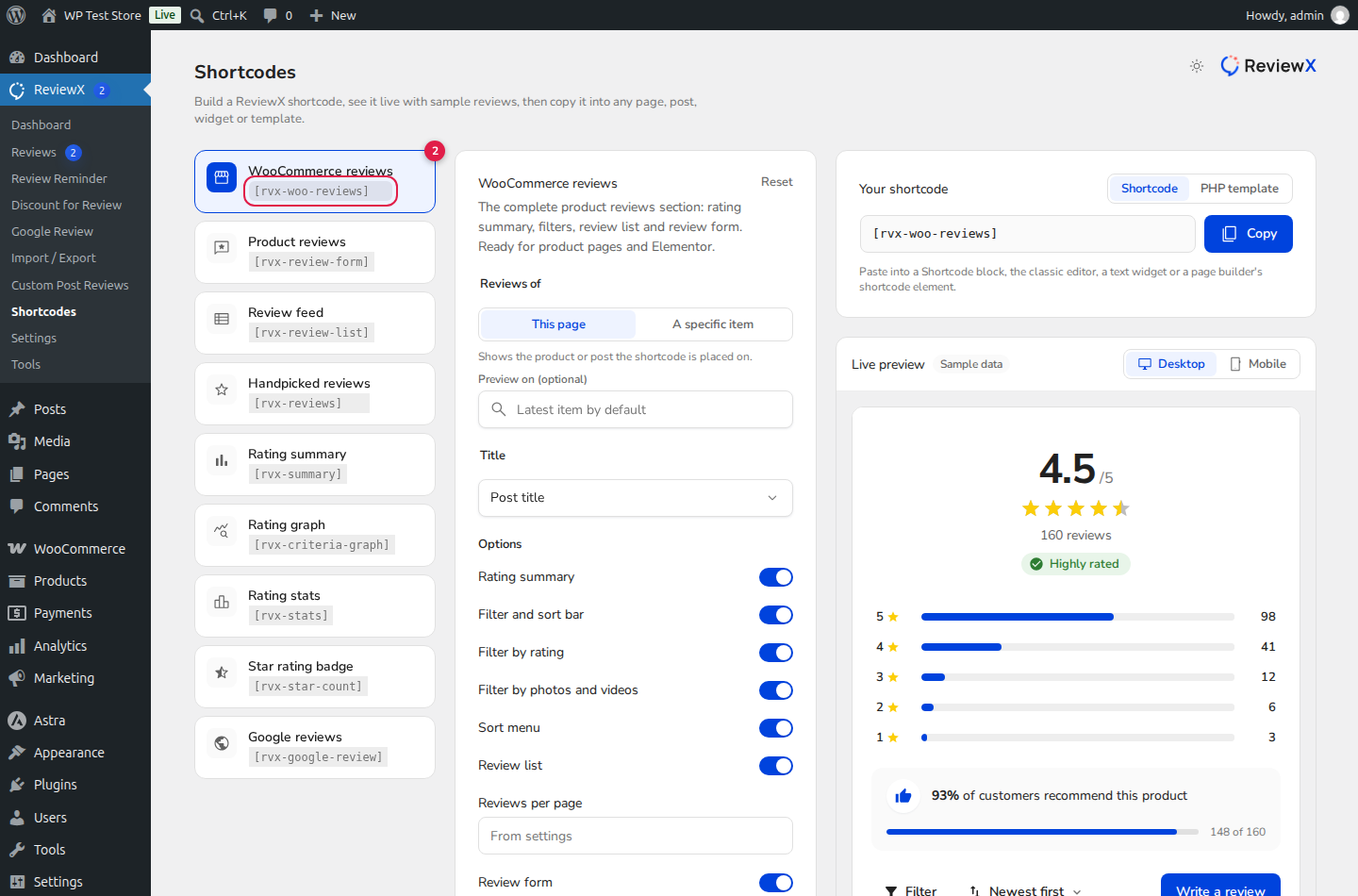
In your WordPress sidebar, navigate to ReviewX → Shortcodes. The Shortcodes configurator provides a live visual preview of your review section (marked with Badge 1):
- Select your desired display module: WooCommerce reviews, Review feed, or Product reviews.
- Select your target scope: This page (dynamic context) or A specific item.
- Toggle layout components: enable or disable the rating graph, filter bar, or review form according to your page layout.
Step 2: Copy Your Configured Shortcode
Once you are satisfied with the live preview, click the Copy button on the shortcode box (e.g. [rvx-woo-reviews post_type="product" per_page="10"]).
Step 3: Insert the Shortcode Block in Gutenberg
Open any WordPress page or template in the Gutenberg block editor:
- Click the Add block (+) button in the editor toolbar.
- Search for the native Shortcode block.
- Paste your copied ReviewX shortcode into the block text field.
- Update or publish the page.
Best Practices for Gutenberg Layouts
- Full-Width Sections: Wrap your ReviewX shortcode inside a Group Block with full-width alignment and subtle background tinting to create high-contrast social proof banners.
- Two-Column Layouts: Use a Columns Block to place the compact rating badge (
[rvx-star-count]) on the left alongside product pricing, and the full review feed ([rvx-review-list]) below.


