


A concise headline above customer feedback — such as “Super comfortable and fast delivery!” or “Great quality for the price” — makes reviews significantly easier for shoppers to skim. ReviewX allows store owners to enable a dedicated Review Title Field on the submission form with a single toggle.
Thank you for reading this post, don't forget to subscribe!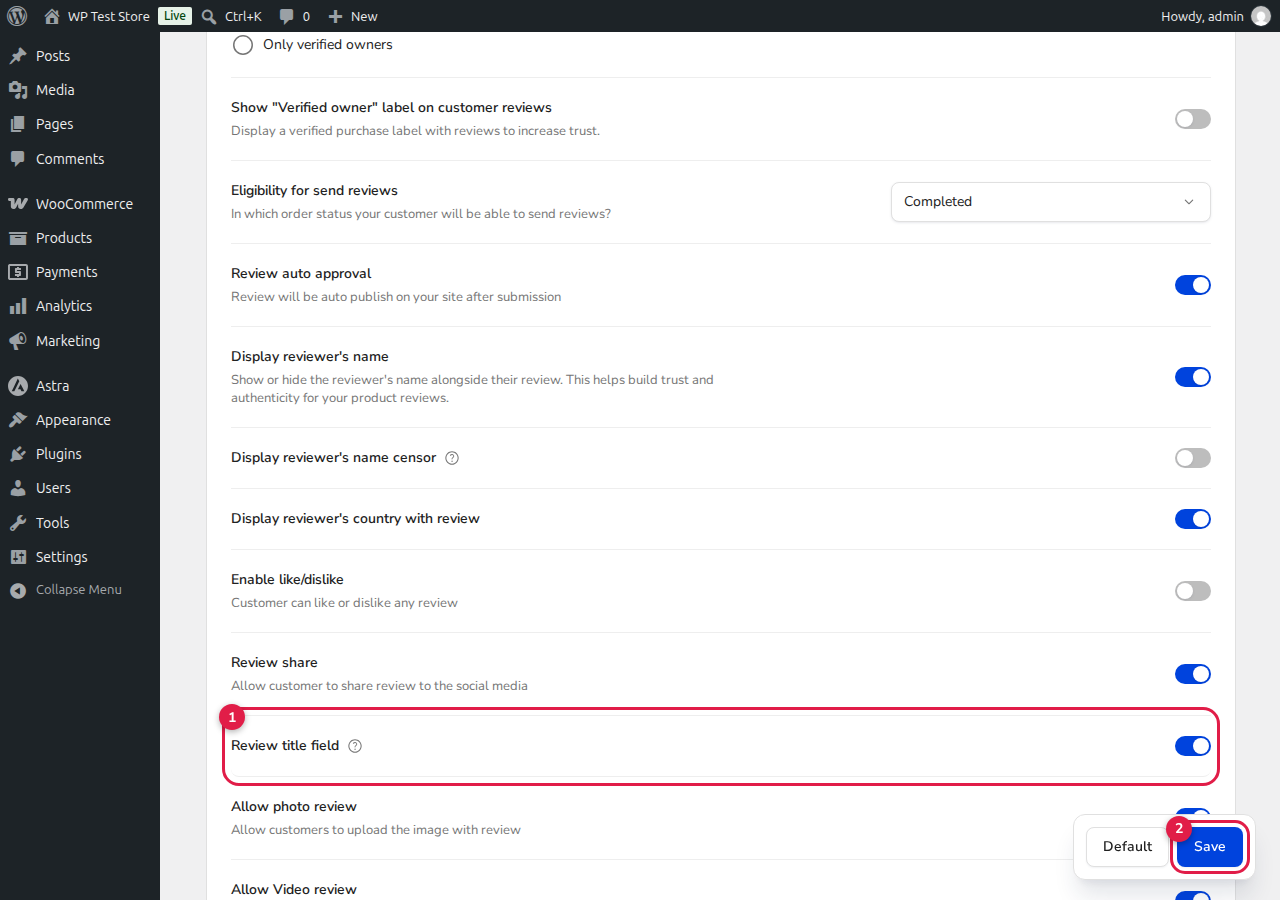
How to Enable the Review Title Field
- In your WordPress admin dashboard, navigate to ReviewX → Reviews.
- Click the Review settings tab at the top of the page.
- Locate the Review title field option row [1] (description: “Let reviewers add a short title to their review.”).
- Toggle the switch to the ON position.
- Click the blue Save button [2] in the bottom floating bar.
Storefront Display
Once enabled, customers will see an optional “Review title” input field above the main review comment box. Submitted titles are stored with the review and displayed in prominent bold typography directly above the review comment in the storefront review list.


