


Online stores frequently sell diverse product catalogs that require tailored review experiences. For example, clothing and fashion items benefit tremendously from customer photo reviews and fit criteria, while digital software downloads or downloadable eBooks require neither photo uploads nor delivery criteria. ReviewX provides robust Custom Post Types & Setting Overrides that allow merchants to override global settings and assign bespoke criteria to specific post types or product lines.
Flexible Architectural Inheritance
ReviewX implements hierarchical setting inheritance. If an override is not defined for a specific post type or product category, the system seamlessly falls back to your global store defaults, minimizing administrative maintenance.
What Settings Can Be Overridden?
ReviewX allows you to customize the following parameters independently per custom post type or product line:
- Multi-Criteria Sets: Assign custom evaluation benchmarks (e.g. Sound Quality and Battery Life for electronics vs Flavor and Freshness for food items).
- Media Upload Permissions: Allow photo/video reviews on tangible physical goods while disabling media uploads for virtual services or digital keys.
- Submission Policies: Restrict reviews to Only verified owners on high-value items while allowing guest reviews on informational posts.
- Storefront Widget Layouts: Select Grid layout for fashion items and Masonry or List layouts for software or books.
Step-by-Step Guide: Configuring Post Type Overrides
Step 1: Open Custom Post Reviews
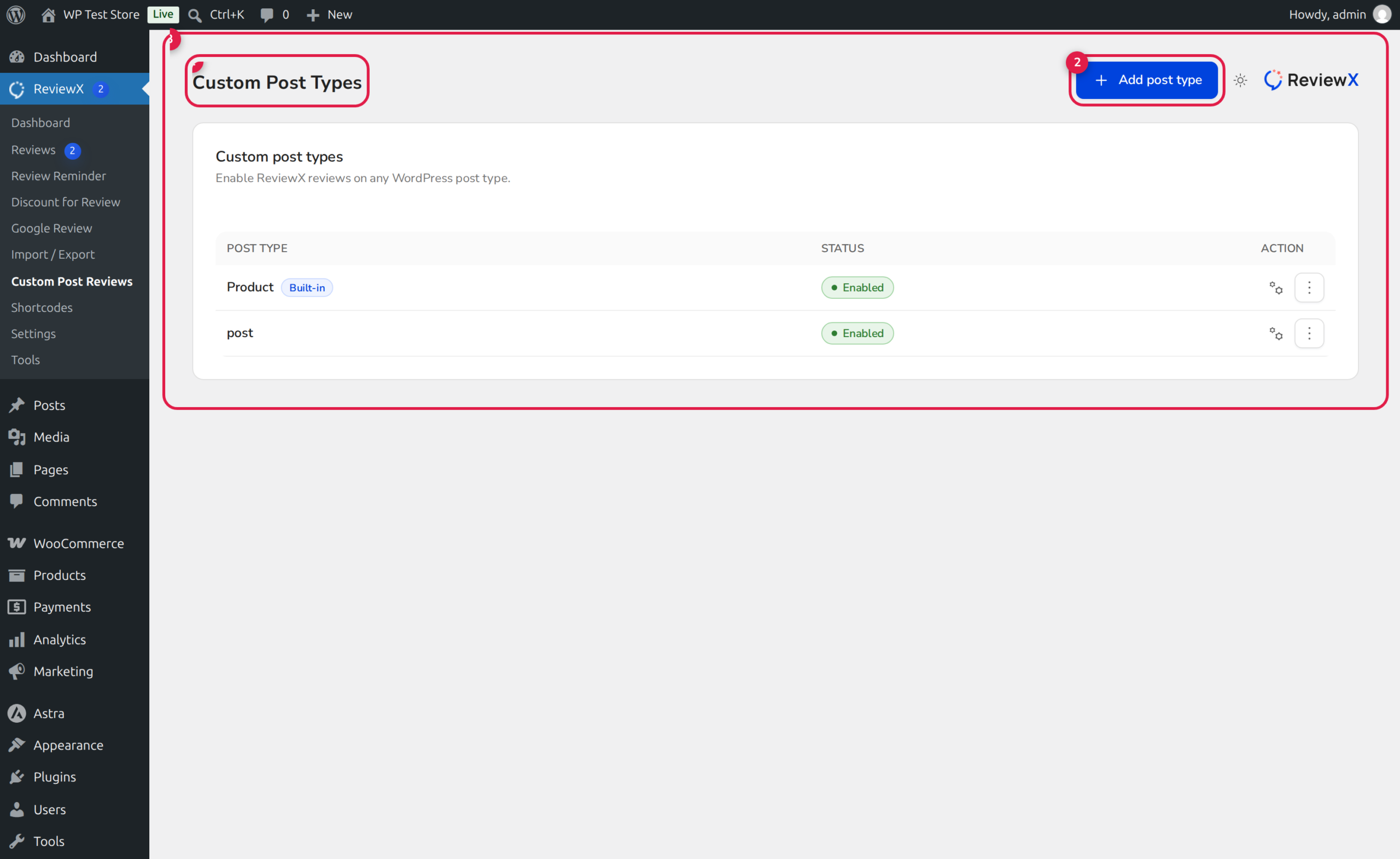
In your WordPress admin sidebar, navigate to ReviewX → Custom Post Reviews (Badge 1).
Step 2: Add a Custom Post Type
Click the Add post type button in the top right corner (Badge 2). A modal appears displaying all detected public post types on your WordPress installation (e.g. courses, books, portfolio, downloads).
Step 3: Define Custom Criteria & Guidelines
Within the post type configuration pane (Badge 3):
- Specify the unique multi-criteria keys and labels relevant to that content type.
- Enable or disable customer recommendations and review titles.
- Configure photo and video attachment permissions.
Step 4: Save Configuration
Click Save. The ReviewX storefront widget rendering on templates for that post type will immediately display the customized criteria and settings.


